

Examples of web design trends that boost your business in 2026
March 10, 2026
How to build a responsive website that grows your business
March 12, 2026
Many assume UX is simply about making websites look attractive, but effective user experience design fundamentally influences how visitors interact with your site, how long they stay, and whether they convert into customers. Understanding UX’s strategic role in web design enables you to create digital experiences that genuinely satisfy user needs whilst driving measurable business growth. This guide explores evidence-backed UX principles, their impact on performance metrics, and practical methods to integrate them into your web design projects.
Table of Contents
- Understanding The Core Principles Of UX In Web Design
- How UX Design Impacts Website Performance And Conversion Rates
- Addressing Common UX Challenges: Edge Cases, Consistency, And Mobile Optimisation
- Practical Applications: Integrating UX Principles Into Your Web Design Projects
- How Done Can Help You Master Web Design With UX
- Frequently Asked Questions
Key takeaways
| Point | Details |
|---|---|
| UX addresses the entire user journey | User experience encompasses branding, usability, functionality and design, not merely visual aesthetics. |
| Proven conversion impact | Well-executed UX improvements boost conversions by over 200% whilst reducing bounce rates significantly. |
| Mobile-first is essential | With mobile traffic exceeding 60%, responsive mobile design directly affects engagement and sales performance. |
| Edge cases matter | Anticipating unusual scenarios like account lockouts or name changes prevents user frustration and builds trust. |
| Consistency through systems | Design systems using scalable variables eliminate visual noise and simplify maintenance across your website. |
Understanding the core principles of UX in web design
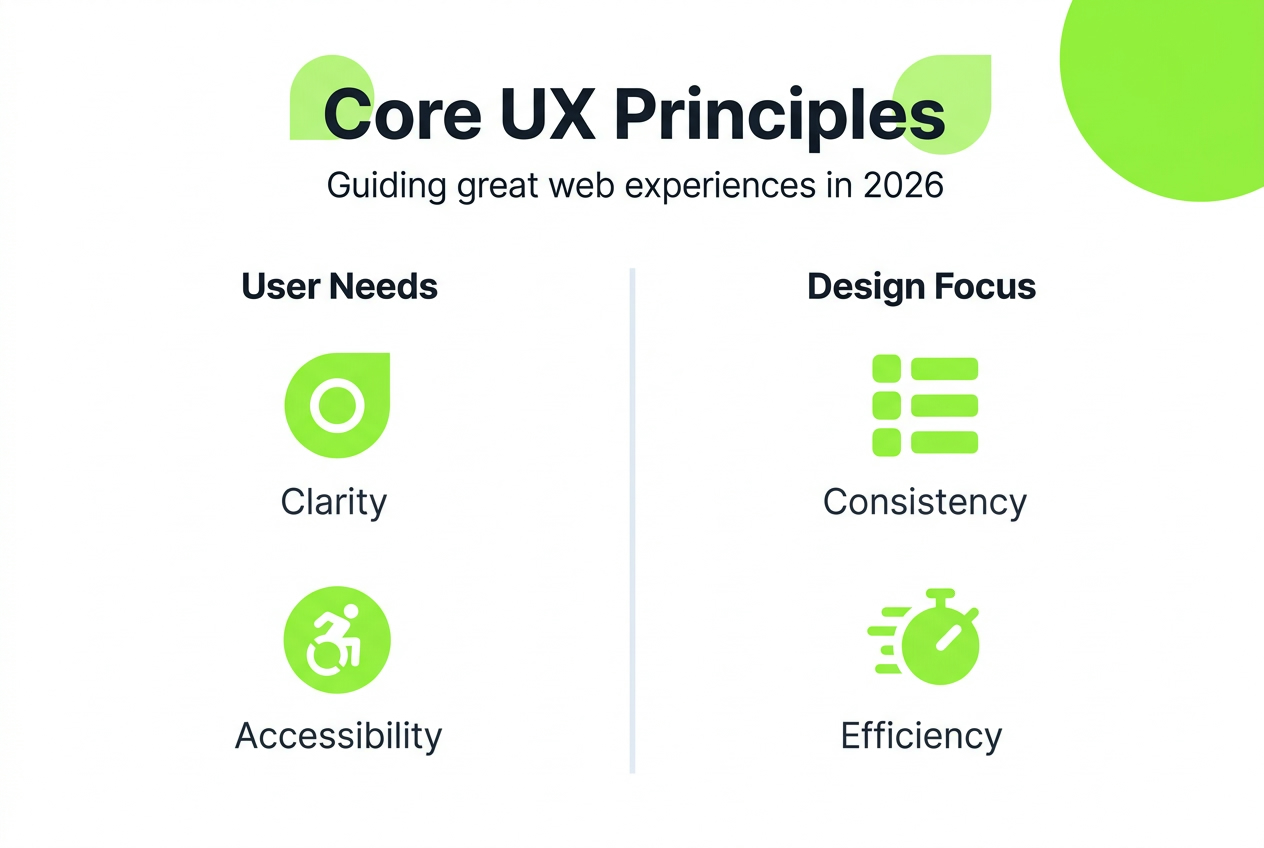
User experience design extends far beyond creating attractive interfaces. UX design focuses on meaningful experiences by addressing every touchpoint in the user journey, from initial brand perception through final conversion and beyond. This holistic approach considers branding, usability, functionality and visual design as interconnected elements that shape how visitors perceive and interact with your website.
The International Organisation for Standardisation provides a formal framework through ISO 9241-210, defining UX as user perceptions and responses resulting from actual or anticipated use of a system. This definition emphasises that UX encompasses emotional reactions, beliefs, preferences and behaviours triggered by every interaction with your digital product.
It’s crucial to distinguish UX from related concepts. Whilst user interface design focuses specifically on visual elements and interactive components, UX takes a broader view of the complete experience. Similarly, usability addresses how easily users accomplish specific tasks, representing just one dimension of the overall UX equation. Effective UX design synthesises these elements whilst addressing genuine user needs and pain points discovered through research and testing.
Consider these fundamental UX objectives that should guide your website design approach:
- Creating intuitive navigation that helps users find information effortlessly
- Ensuring consistent interaction patterns that reduce cognitive load
- Designing clear visual hierarchies that guide attention to priority content
- Optimising performance to deliver smooth, responsive experiences
- Anticipating user questions and providing contextual help when needed
“Good UX design is invisible. When users can accomplish their goals without friction or confusion, they rarely notice the design itself. Poor UX, however, creates immediate frustration that drives visitors away.”
By grounding your web design in these core UX principles, you create digital experiences that feel natural and effortless whilst supporting both user satisfaction and business objectives.
How UX design impacts website performance and conversion rates
The business case for investing in UX design rests on compelling data demonstrating its direct influence on critical performance metrics. Research consistently shows that well-executed UX increases conversions by 200% or more, transforming how effectively websites turn visitors into customers. These improvements stem from removing friction points, clarifying value propositions and streamlining paths to conversion.
E-commerce platforms particularly benefit from UX optimisation. Studies reveal that improving e-commerce UX lifts conversions by up to 35%, with cart abandonment rates dropping substantially when checkout processes become more intuitive. Similarly, intuitive navigation reduces bounce rates by 30 to 50 percent, keeping visitors engaged longer and increasing the likelihood they’ll explore multiple pages.
Real-world examples illustrate these statistics powerfully. When a mid-sized European retailer redesigned their checkout flow based on user testing insights, they achieved a 158% increase in completed purchases within three months. Another case study showed a B2B service provider boosting qualified lead generation by 225% after restructuring their website navigation and conversion paths.
| UX improvement | Typical impact | Implementation priority |
|---|---|---|
| Simplified navigation | 30-50% bounce reduction | High |
| Faster page load | 25% engagement increase | High |
| Clear calls-to-action | 150-200% conversion lift | Medium |
| Mobile optimisation | 35% mobile conversion gain | High |
| Streamlined forms | 40% completion increase | Medium |
Critical factors driving these improvements include clear, compelling calls to action that guide users towards desired behaviours, fast loading times that prevent impatient exits, and logical information architecture that matches user mental models. Each element contributes to an overall experience that either supports or hinders business goals.
Pro Tip: Prioritise usability enhancements by conducting baseline measurements of current conversion rates, bounce rates and task completion times. Test improvements incrementally to identify which changes deliver the strongest ROI, then scale successful patterns across your entire website. This data-driven approach ensures your UX investments generate measurable business value rather than merely aesthetic updates.
Addressing common UX challenges: edge cases, consistency, and mobile optimisation
Whilst many designers focus on typical user journeys, neglecting edge cases creates frustrating experiences that damage trust and drive users away. Edge cases like account lockouts occur more frequently than most teams anticipate, affecting a substantial minority of users who encounter unusual but legitimate scenarios. Examples include users needing to change their legal name after marriage, managing multiple accounts for different purposes, or recovering access after extended inactivity.

Failing to design for these situations leaves users stranded without clear next steps. A user locked out after three failed login attempts should see helpful guidance about password reset options, not a generic error message. Someone with a hyphenated surname shouldn’t face form validation errors claiming their name is invalid. These scenarios may seem uncommon, but collectively they affect millions of users and significantly impact brand perception.
Visual consistency represents another persistent challenge, particularly as design systems scale across multiple pages and components. The problem often stems from inconsistent spacing created by magic numbers, where designers specify arbitrary pixel values rather than using systematic spacing variables. This approach produces subtle visual noise that users perceive as unprofessional, even if they can’t articulate exactly what feels wrong. Hard-coded values also complicate maintenance, requiring tedious manual updates across numerous instances whenever spacing standards evolve.
Mobile optimisation has transitioned from optional enhancement to fundamental requirement. Mobile traffic exceeds 60% for most websites, with mobile UX directly affecting engagement and sales outcomes. Yet many sites still treat mobile as an afterthought, shrinking desktop layouts rather than truly optimising for smaller screens and touch interactions. This creates frustrating experiences with tiny tap targets, illegible text and awkward horizontal scrolling.
Implement these five strategies to handle edge cases and maintain consistency:
- Map out uncommon but plausible user scenarios during the design phase, not after launch complaints emerge
- Provide clear error messages with specific next steps rather than vague technical jargon that leaves users confused
- Establish a design system with spacing, colour and typography variables that enforce consistency automatically
- Design mobile experiences first, then progressively enhance for larger screens rather than working backwards
- Test your e-commerce flows with diverse user profiles including edge case scenarios
Pro Tip: Create a living document cataloguing edge cases discovered through user testing, support tickets and analytics. Review this quarterly to identify patterns requiring design solutions. This proactive approach prevents recurring frustrations whilst demonstrating attention to detail that builds user confidence. Remember that handling unusual scenarios gracefully often creates the most memorable positive impressions, distinguishing your website from competitors who ignore these situations.
Your mobile-first approach should prioritise thumb-friendly navigation zones, readable text without zooming, and streamlined content hierarchies that work on small screens. These considerations fundamentally influence UX and SEO outcomes, making mobile optimisation essential for both user satisfaction and search visibility.
Practical applications: integrating UX principles into your web design projects
Translating UX theory into practice requires systematic integration throughout your design workflow rather than treating it as a final polish stage. Start by incorporating regular user testing early and often, as this identifies usability issues when they’re still inexpensive to fix. Even modest testing with five users per iteration reveals approximately 85% of major usability problems, providing actionable insights that dramatically improve design decisions.
Accessibility deserves priority attention from the project’s inception. Designing for accessibility broadens your potential audience whilst improving overall usability for everyone, not just users with disabilities. Accessible websites feature clear heading hierarchies that aid navigation, sufficient colour contrast that ensures readability in various lighting conditions, and keyboard navigation that supports diverse interaction preferences. These enhancements benefit all users whilst demonstrating social responsibility and reducing legal compliance risks.
Establish design systems using variables for spacing, colours, typography and component behaviour. This systematic approach maintains visual consistency automatically whilst simplifying updates across your entire website. When you need to adjust brand colours or refine spacing standards, changing central variables propagates updates everywhere instantly rather than requiring tedious manual corrections across hundreds of instances.
Your responsive design strategy should begin with mobile constraints, ensuring core functionality works brilliantly on small screens before layering additional features for larger viewports. This mobile-first methodology forces prioritisation of essential content and interactions, often revealing opportunities to simplify desktop experiences as well.
| UX technique | Best for | Implementation effort | Insight quality |
|---|---|---|---|
| A/B testing | Comparing specific variations | Medium | Quantitative data on performance |
| User interviews | Understanding motivations | Low to medium | Deep qualitative insights |
| Heatmaps | Identifying interaction patterns | Low | Visual behaviour data |
| Usability testing | Finding friction points | Medium to high | Direct problem discovery |
| Analytics review | Tracking user flows | Low | Aggregate behaviour trends |
Consider these practical steps for embedding UX throughout your workflow:
- Define measurable usability goals before design begins, such as task completion rates or time to conversion
- Create user personas representing your primary audience segments with their specific needs and constraints
- Prototype key interactions early using low-fidelity mockups that invite honest feedback
- Test with representative users at multiple stages rather than waiting for a polished final product
- Iterate based on observed behaviour and feedback, not assumptions or personal preferences
Pro Tip: Balance aesthetic ambitions with functional priorities by establishing a clear hierarchy where usability trumps visual flourishes when conflicts arise. Beautiful designs that frustrate users ultimately fail both aesthetic and business objectives. Use your comprehensive website design checklist to ensure UX considerations receive appropriate attention at every project stage.
Remember that effective UX design serves both user needs and business goals simultaneously. When you genuinely solve user problems and remove friction from their journey, conversion rates and satisfaction metrics naturally improve. This alignment makes UX investment one of the highest-ROI activities in web development, directly supporting your branding objectives whilst delivering measurable business results.
How Done can help you master web design with UX
Transforming UX principles into compelling websites that drive business results requires both strategic expertise and technical execution capabilities. Done specialises in blending sophisticated UX methodologies with robust web development practices, creating digital experiences that engage visitors whilst converting them into loyal customers.
Our growth-driven design approach emphasises continuous testing and refinement based on real user behaviour rather than assumptions. This iterative methodology ensures your website evolves to meet changing user expectations and business objectives. Whether you’re launching a new web presence or optimising an existing platform, professional guidance helps you avoid common pitfalls whilst implementing proven UX patterns that deliver results.
Explore our resources including detailed checklists and strategic guides to support your UX integration efforts. Understanding why investing in professional web development generates substantial returns helps justify the commitment required to implement UX best practices thoroughly. Start with our essential website design checklist to ensure your projects incorporate critical UX considerations from inception through launch.
Frequently asked questions
What is the difference between UX and UI design?
UX design covers the complete user experience including usability, functionality, information architecture and emotional responses throughout the entire journey. UI design focuses specifically on visual interface elements like buttons, typography, colour schemes and interactive components that users directly manipulate. Both disciplines are essential and work together, but UX takes a broader strategic view whilst UI handles tactical visual implementation.
How does mobile-first design influence user experience?
With mobile traffic exceeding 60% for most websites, mobile-first design ensures your core functionality works brilliantly on smaller screens before adding enhancements for larger displays. This approach improves load times by prioritising essential content, simplifies navigation for thumb-friendly interaction, and reduces bounce rates by eliminating frustrating zoom and scroll requirements. Mobile-first methodology often reveals opportunities to streamline desktop experiences as well, benefiting all users regardless of device.
Why is accessibility important in web design?
Accessibility opens your website to users with visual, auditory, motor or cognitive disabilities, substantially expanding your potential audience whilst demonstrating social responsibility. Accessible design patterns like clear heading hierarchies, sufficient colour contrast and keyboard navigation improve usability for everyone, not just users with disabilities. Additionally, accessibility enhancements often boost SEO performance and reduce legal compliance risks in jurisdictions with digital accessibility requirements.
How can I measure UX improvements on my website?
Track quantitative metrics including conversion rates, bounce rates, average session duration, task completion rates and pages per session to measure UX impact objectively. Complement these numbers with qualitative insights from user testing sessions, feedback surveys and support ticket analysis. Establish baseline measurements before implementing changes, then monitor trends over subsequent weeks to identify improvements. A/B testing specific variations helps isolate which UX changes drive the strongest results, enabling data-driven optimisation decisions.