

AI strategy consulting for SMEs: A roadmap to efficiency
April 29, 2026
How to secure AI for your business: a guide for European SMEs
April 30, 2026
TL;DR:
- Workflow automation uses technology to perform tasks automatically, reducing manual effort and errors.
- SMEs should start with semi-automated processes, monitor outputs, and scale gradually for best results.
- Regular oversight, data validation, and documentation are essential to avoid pitfalls and maintain effective automation.
Workflow automation is one of those business strategies that sounds complicated from the outside but is far more accessible than most small business owners realise. Many assume it requires a large IT team, a substantial budget, or enterprise-grade software. In practice, even a business with a team of five can automate repetitive tasks, reduce manual errors, and free up valuable time for higher-value work. This guide cuts through the jargon and gives you a clear, practical picture of what workflow automation is, how it works for smaller businesses, where it typically goes wrong, and how you can start implementing it with confidence and realistic expectations.
Table of Contents
- What is workflow automation and why does it matter?
- Key components and technologies of workflow automation
- Common workflow automation pitfalls and how to avoid them
- How to get started with workflow automation in your business
- Real-world examples of workflow automation success in SMEs
- A pragmatic view: What most automation guides miss
- Take the next step: Workflow automation resources for your business
- Frequently asked questions
Key Takeaways
| Point | Details |
|---|---|
| Start with simple workflows | Begin automation with tasks that are repetitive and rule-based for quick wins. |
| Human oversight matters | Regular reviews and checks are crucial to prevent automated errors from spreading. |
| Select the right tools | Choose automation platforms that match your current systems and business needs. |
| Address exceptions quickly | Set up fallback procedures to handle errors or unexpected workflow breakdowns. |
| Scale up gradually | Expand automation to more processes only after initial workflows run smoothly. |
What is workflow automation and why does it matter?
Workflow automation is the use of technology to perform tasks or sequences of tasks automatically, based on pre-defined rules, without the need for manual input at each step. At its simplest, it means setting up a system that takes an action whenever a specific condition is met. For example, when a new customer submits an enquiry form on your website, automation can instantly log their details into your CRM (Customer Relationship Management) system, send them a personalised acknowledgement email, and alert your sales team, all within seconds and without anyone lifting a finger.
It helps to think of workflows in three broad categories:
- Manual workflows: Every step requires a person to act. An employee receives a form submission, copies the data into a spreadsheet, sends an email manually, and notifies a colleague by phone or chat. This is slow and prone to human error.
- Semi-automated workflows: Some steps are automated but others still require human input. For instance, data is captured automatically but a manager must manually trigger the follow-up email.
- Fully automated workflows: Once set up, the entire sequence runs without human intervention, from the initial trigger through to the final action. A human only steps in when an exception or error occurs.
For small and medium enterprises (SMEs), the most practical starting point is semi-automation, where you relieve your team of the most repetitive and time-consuming steps while keeping humans involved in decisions that require judgement. As confidence and familiarity grow, more steps can be fully automated.
The benefits for smaller businesses are significant and tangible:
- Reduced manual errors: Repeated data entry is a leading cause of mistakes in business operations. Automation standardises the process.
- Time savings: Tasks that once took hours can complete in minutes, releasing your staff to focus on client relationships, strategic thinking, and problem-solving.
- Consistency: Automated workflows follow the same rules every time. Your customers experience the same quality of response regardless of who is working that day.
- Scalability: As your business grows, automated systems can handle increased volume without the need to immediately hire more staff.
- Cost efficiency: Fewer manual hours per task translates directly into lower operational costs.
One common misconception is that automation is prohibitively expensive or technically demanding. Modern automation tools are increasingly user-friendly and affordable, with many designed specifically for businesses without large technical teams. Another misconception is that once automation is in place, you can leave it entirely unsupervised. This is where businesses run into trouble.
Pro Tip: Always assign a named person in your team as the “automation owner” for each workflow. This person is responsible for monitoring outputs, catching errors, and flagging when something breaks or produces unexpected results.
As the European Data Protection Supervisor notes, workflow automation can break down if systems or data quality are not regularly checked, and human oversight is crucial for handling exceptions. This is not a reason to avoid automation; it is simply a reminder that automation works best as a partnership between technology and people. If you are also exploring how automation applies specifically to your marketing activities, marketing automation explained provides a helpful introduction to that related discipline.
Key components and technologies of workflow automation
With an understanding of what workflow automation is, let’s explore the actual tools and components that enable it for SMEs. Every automated workflow, regardless of complexity, is built from the same fundamental building blocks.
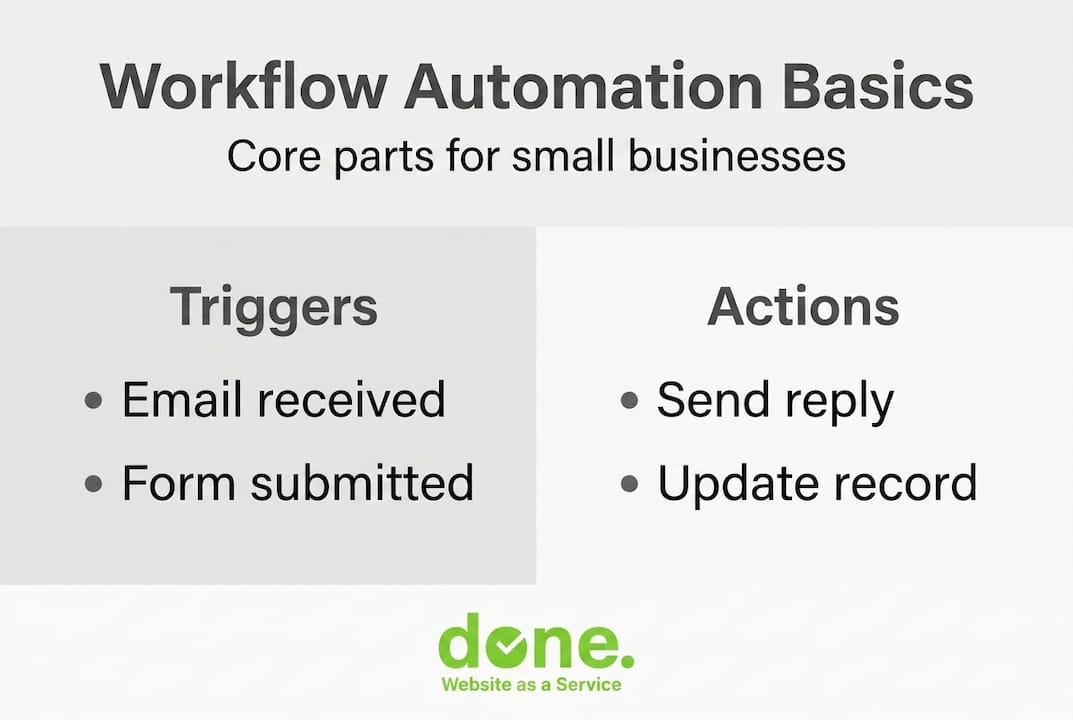
Triggers are the events that start a workflow. A trigger might be a new email arriving in your inbox, a form submission on your website, a new record added to your CRM, or a scheduled time such as 9:00 AM every Monday. Without a trigger, nothing happens.
Actions are the tasks the system performs in response to the trigger. Sending an email, updating a database record, creating a task in your project management tool, generating a PDF invoice, or posting a notification to a team channel are all common actions.

Conditions are the rules that determine which actions are taken based on specific criteria. For example, “if the customer is based in Luxembourg, send the French-language welcome email; if they are based in Germany, send the German-language version.” Conditions add intelligence and personalisation to otherwise rigid automated sequences.
Integrations and APIs (Application Programming Interfaces) are what allow different software systems to talk to each other. An API is essentially a digital handshake between two applications that allows them to share data in real time. Most modern business software, from accounting platforms to email marketing tools, offers API access so that they can be connected into a unified, automated workflow.
| Component | What it does | Example |
|---|---|---|
| Trigger | Starts the workflow | New enquiry form submitted |
| Condition | Applies logic to the trigger | Contact is a new lead, not existing client |
| Action | Executes the task | Adds contact to CRM, sends welcome email |
| Integration | Connects separate tools | CRM linked to email platform via API |
Popular automation platforms used by SMEs include tools that allow you to connect hundreds of applications without writing a single line of code. These platforms use visual drag-and-drop interfaces, making it possible for non-technical staff to build and manage workflows. For a more detailed overview of how these platforms can be applied in practice, the automation guide for SMEs covers key tool choices and integration strategies.
Artificial intelligence is increasingly being layered on top of standard automation components. AI can analyse incoming data to categorise it intelligently, detect patterns, or make predictions, for example, identifying which leads are most likely to convert and prioritising them automatically. However, AI introduces an additional consideration: model drift. This occurs when an AI model’s predictions gradually become less accurate over time because the real-world data it encounters has changed from the data it was originally trained on.
The risks associated with model drift and API changes and model drift are among the most common edge cases that require ongoing monitoring to avoid workflow breakdowns. A software update by one of your tool providers, a change in how an external service structures its data, or corruption in your database can silently break an automated workflow. You may not notice for days or weeks unless you have monitoring in place.
Key practices for maintaining healthy automation components include:
- Documenting every workflow clearly, including its trigger, conditions, actions, and the tools it connects
- Setting up automated alerts when a workflow fails or produces no output when one is expected
- Running regular data quality checks to catch inconsistencies before they propagate through your systems
- Testing workflows thoroughly in a safe environment before applying them to live data
If you want to see how these components apply directly to your marketing operations, exploring a well-structured digital marketing workflow is an excellent practical reference.
Common workflow automation pitfalls and how to avoid them
Understanding the components is one thing, but knowing where automation can go wrong is crucial to long-term success. Many businesses invest in automation only to find that their workflows break silently, produce inaccurate results, or create more work than they save because common pitfalls were not anticipated.
“Human oversight, such as regular audits and the four-eyes principle, is critical to catch errors and model drift in automated processes.” European Data Protection Supervisor, TechDispatch on Human Oversight
The four-eyes principle refers to the practice of having two people review an output or decision before it is acted upon. In an automated context, this might mean having a staff member verify a batch of automatically generated invoices before they are sent to clients, rather than dispatching them immediately without review.
| Pitfall | Why it happens | How to prevent it |
|---|---|---|
| Over-automation | Removing human judgement from complex decisions | Keep humans in the loop for high-risk steps |
| Poor data quality | Inconsistent input data breaks automation logic | Enforce data validation at the point of entry |
| No fallback plan | No process for when automation fails | Document a manual alternative for every workflow |
| Unmonitored drift | AI models become inaccurate over time | Schedule regular performance audits |
| Tool dependency | Vendor changes or API updates break integrations | Monitor vendor communications and test after updates |
Over-reliance on automation is perhaps the most common mistake. A business automates a customer complaint handling process and assumes the system will manage it correctly. In reality, the automation cannot read tone, detect frustration, or recognise when a situation requires empathy and personal attention. The result can be a dissatisfied client who receives a generic, automated response to a serious concern.
Here is a practical, step-by-step response plan for when automation fails:
- Detect the failure early. Set up monitoring alerts so your team is notified immediately when a workflow produces an error or stops running.
- Switch to manual handling. Activate your documented fallback procedure so operations continue without disruption while the automation issue is investigated.
- Identify the root cause. Check whether the failure was caused by an API change, data corruption, a software update, or a logic error in the workflow itself.
- Fix and test before restoring. Never restore an automated workflow without first testing the fix in a non-production environment.
- Review and document. Record what caused the failure, how it was resolved, and what changes were made to prevent recurrence.
Pro Tip: Treat every workflow failure as a learning opportunity. Build a simple log of failures and their causes. Over time, you will start to see patterns that allow you to proactively prevent future issues rather than constantly reacting to them. For further guidance on handling automation exceptions and reviewing practical approaches to AI tools for automation, both resources provide useful context for everyday operational challenges.
How to get started with workflow automation in your business
With pitfalls addressed, here’s a practical starting point for SME owners wanting to take their next step. The good news is that you do not need to overhaul your entire business at once. The most successful implementations start small, prove value quickly, and then expand gradually.
Follow these steps to move from concept to live automation in a structured and manageable way:
- Identify suitable processes. Look for tasks that are repetitive, rule-based, and time-consuming. Invoice generation, appointment reminders, lead follow-up emails, data entry between systems, and report compilation are all strong candidates. If a process requires constant human judgement or creativity, it is not ready for full automation.
- Map your existing workflows. Before you automate anything, document how the process currently works. Draw a simple flowchart showing each step, who is responsible, what triggers the next step, and where delays or errors typically occur. This mapping exercise alone will often reveal inefficiencies that can be eliminated before any technology is introduced.
- Select tools that integrate with your current systems. Resist the temptation to choose automation tools in isolation. The best platform for your business is the one that connects smoothly with the tools your team already uses, whether that is your email client, your accounting software, or your CRM.
- Run a pilot workflow. Choose one process to automate first. Keep it simple and low-risk. Run the automated workflow in parallel with your manual process for the first two to four weeks, comparing outputs to confirm the automation is performing correctly.
- Review and adjust. After your pilot period, review the results with the team members who use the workflow daily. Gather their feedback, fix any issues, and then formally retire the manual process once you are confident in the automated version.
- Scale gradually. Once one workflow is running reliably, move on to the next. Avoid the temptation to automate everything simultaneously. Gradual scaling allows you to maintain quality and gives your team time to adapt.
- Build in regular reviews. Automation is not a set-and-forget solution. Schedule quarterly reviews of every active workflow to check data quality, confirm integrations are still functioning correctly, and assess whether the workflow still reflects how your business operates.
As automation best practice guidance confirms, starting with clear objectives and small, manageable processes subject to human review and adjustment is the most effective way to mitigate risks like data errors and model drift.
Pro Tip: Use your workflow map to calculate the time cost of your manual process before automating it. If a task currently takes three hours per week across your team, and automation reduces that to 20 minutes of oversight, you have a clear, quantifiable return on investment (ROI) to justify the effort and any tool costs.
If lead generation and customer acquisition are among your priorities, understanding how to generate leads online and how to boost leads with AI will give you a broader context for where automation fits within your overall growth strategy.
Real-world examples of workflow automation success in SMEs
Finally, to bring the concepts to life, let’s look at how other SMEs are seeing real results from workflow automation. These scenarios reflect common challenges faced by small and medium businesses across Luxembourg and Europe, and illustrate how targeted automation delivers measurable improvements.
Lead capture and nurturing
A professional services firm was spending several hours each week manually copying contact details from website enquiry forms into their CRM, then sending individual follow-up emails to each prospect. By connecting their website form directly to their CRM via an API integration, they automated the data capture completely. A follow-up email sequence, personalised based on the enquiry type selected on the form, was triggered automatically. Within three months, their average response time dropped from 48 hours to under five minutes, and their enquiry-to-consultation conversion rate improved noticeably. The team reclaimed approximately six hours of administrative time per week.
Invoicing and payment reminders
An accounting consultancy was struggling with late payments because invoice follow-ups were handled manually and often forgotten during busy periods. By integrating their invoicing software with an automated reminder system, they set up a sequence that sends a polite payment reminder three days before the invoice due date, another on the due date, and a final notice seven days after. The system logs every communication automatically. Within two months, their average debtor days (the average time taken for clients to pay) reduced from 42 days to 28 days.
Employee onboarding
A growing retail business with multiple locations was onboarding new employees using a patchwork of emails, printed forms, and spreadsheets. Managers spent two to three hours processing each new hire. By automating the onboarding workflow, the business created a system where a single trigger, adding a new employee record to the HR system, automatically generates a welcome email with links to digital onboarding documents, creates accounts in the relevant tools, schedules an introductory meeting, and notifies the appropriate manager. Onboarding administration time dropped by over 70% per new hire.
Key outcomes observed across these scenarios include:
- Significant reduction in administrative hours, freeing staff for client-facing work
- Fewer errors caused by manual data transfer between systems
- Greater consistency in customer and employee experiences
- Improved staff satisfaction as repetitive low-value tasks are removed from their workload
> Statistic to note: Research into automation adoption consistently finds that SMEs which implement even basic workflow automation report meaningful reductions in time spent on administrative tasks, with some studies indicating savings of 20% or more in operational hours within the first year of implementation.
As automation success evidence reinforces, the businesses that sustain these results are those that maintain consistent data quality, build in human review at critical steps, and have a clear fallback plan for when exceptions occur.
If you are looking to connect these operational improvements with your broader marketing and growth objectives, our digital marketing strategy resource provides a practical framework for aligning automation with your customer acquisition goals.
A pragmatic view: What most automation guides miss
Most articles about workflow automation present it as a straightforward progression: identify a process, choose a tool, automate it, and enjoy the savings. The reality for SMEs, particularly those operating in Luxembourg and broader Europe, is considerably more nuanced.
One thing that most guides overlook is the regulatory dimension. GDPR (General Data Protection Regulation) places real constraints on how personal data flows through automated systems. If your workflow captures, processes, or transfers personal data, you need to ensure that every tool in the chain is compliant, that data retention rules are respected, and that individuals’ rights around their data are not compromised by the automation logic you have built. This is not an afterthought; it needs to be built into your workflow design from the start.
Another underappreciated reality is that automation built for large enterprises rarely translates cleanly to SME contexts. Enterprise solutions assume dedicated IT teams, robust data governance frameworks, and large volumes of standardised data. SMEs often have messier data, leaner teams, and processes that are more fluid. Copying what a large company does will frequently produce a system that is too rigid, too complex, and too expensive to maintain.
We also see businesses pause automation when they should not, and continue it when they should stop. The right question is always: “Is this automated output reliable enough to act on without review?” When the answer is uncertain, add a review step rather than removing it. As your confidence in a workflow’s reliability grows, you can reduce the intensity of oversight proportionally. Marketing automation is a domain where this balance is particularly important, as poorly handled automation can damage customer relationships rather than strengthen them.
The most successful SME automation we observe is not the most technically impressive. It is the most carefully maintained.
Take the next step: Workflow automation resources for your business
You now have a solid understanding of what workflow automation involves, how to implement it safely, and where common mistakes occur. The next step is moving from reading to doing, and you do not have to do it alone.

At Done.lu, we work with SMEs across Luxembourg and Europe to design, implement, and maintain workflow automation that fits their actual operations, not an idealised version of them. Whether you are ready to automate your first process or looking to build a more sophisticated automation strategy, we have the tools, experience, and guidance to support you at every stage. Start by exploring how to master digital marketing workflows for lead generation, review our detailed automation guide for SMEs, or visit Done.lu to speak with one of our consultants about your specific business needs. The right automation, implemented well, pays for itself quickly.
Frequently asked questions
What processes are best to automate first in a small business?
Start by automating high-volume, repetitive tasks such as data entry, email follow-up, or invoicing, because automating manageable processes first allows for human review and minimises the risk of errors spreading through your operations.
How do I handle automation errors or unexpected events?
Set up automated alerts so your team is notified immediately when a workflow fails, and always have a documented manual fallback procedure, because human intervention for edge cases is necessary whenever API changes or unexpected data disrupt your automated processes.
Does workflow automation require technical expertise?
Most modern automation platforms are designed for non-technical users, featuring drag-and-drop interfaces and pre-built integrations that allow business owners and their teams to build and manage workflows without writing code.
How often should automated workflows be reviewed?
Review every active workflow at least quarterly and immediately after any major software update or significant change to your business processes, because regular audits catch errors and model drift before they cause larger operational problems.