

SEO trends in 2026: the Central Europe playbook
August 1, 2026
Step by step branding guide for SMBs in 2026
August 3, 2026
TL;DR:
- Growth-Driven Design is a three-phase, data-led website approach focusing on fast launch and continuous improvement. It replaces traditional lengthy redesigns with short, iterative cycles driven by real user data, resulting in quicker deployment and ongoing ROI.
Growth-Driven Design (GDD) is a three-stage, data-led website methodology that replaces the risky, one-off redesign with a fast launch followed by continuous, evidence-based improvement. Instead of spending months building a site that may miss the mark, you ship a focused MVP, then iterate in short cycles using real user data. Here is the exact workflow in six steps:
- Step 1 — Strategy: Define business goals, build user personas, audit the current site, and create a prioritised wishlist of pages and features.
- Step 2 — Launch Pad build: Develop a lean, high-impact MVP site in 60–90 days that outperforms the current site without trying to be perfect.
- Step 3 — Analytics setup: Install goal tracking, conversion funnels, session recording, and heatmaps before any traffic hits the new site.
- Step 4 — Backlog and prioritisation: Score every wishlist item by impact and effort; pull the highest-value items into the first sprint backlog.
- Step 5 — Sprinted experiments: Run 14-day sprint cycles — Plan, Develop, Learn, Transfer — testing one hypothesis per sprint.
- Step 6 — Learn and transfer: Share findings across marketing, sales, and support; update the backlog; repeat.
Your immediate next step: pick one high-value page on your current site and enable session recording on it today. You will have real behavioural data within 48 hours, and that data becomes the foundation for your first small business website monitor GDD sprint.
Table of Contents
- What is growth-driven design, and how does it differ from a traditional redesign?
- Why choose GDD over a traditional redesign?
- What are the three phases of GDD, and what does each one produce?
- What belongs in a Launch Pad MVP, and how do you prioritise it?
- The practitioner’s playbook: a step-by-step GDD workflow your team can follow
- What should you measure, and how do you set up GDPR-safe analytics?
- Who does what, and how often should your team meet?
- What timeline and budget should a Central European SMB expect?
- How do you start GDD if you already have a live website?
- How Done runs GDD for Central European SMBs
- Key takeaways
- What actually trips teams up in a GDD programme
- Done’s GDD service for Central European SMBs
- Useful sources and further reading
What is growth-driven design, and how does it differ from a traditional redesign?
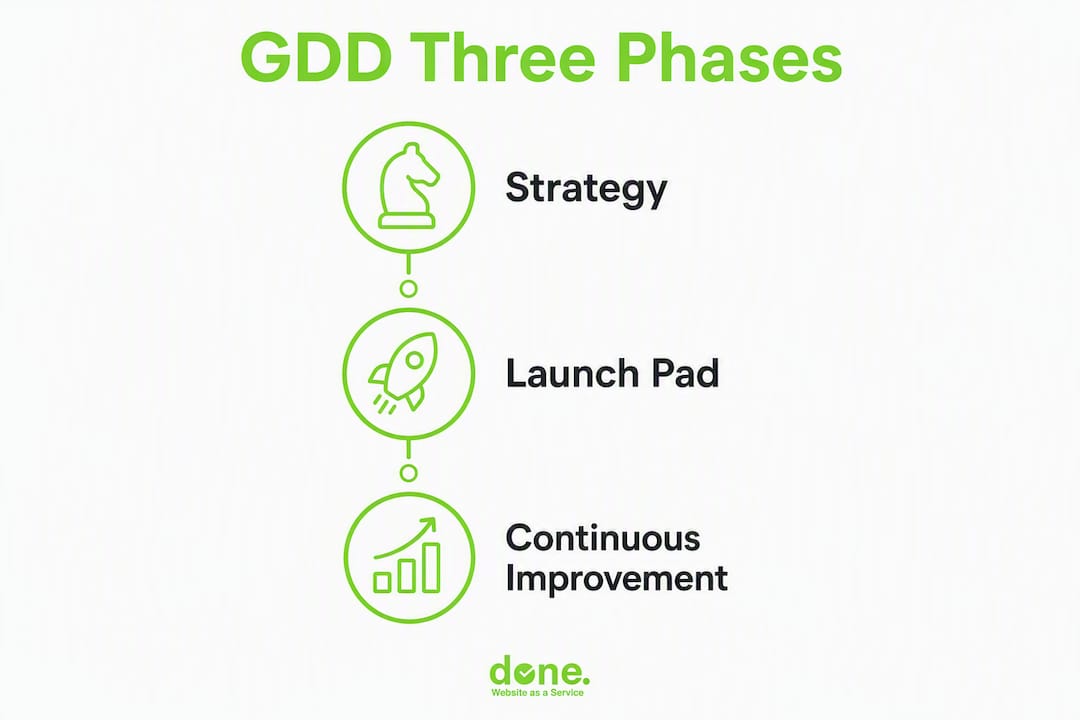
Growth-Driven Design is a structured, three-phase approach to website development: Strategy, Launch Pad, and Continuous Improvement. Pioneered by HubSpot, it reduces launch risk by weaving Lean and Agile principles into the design process, making website work iterative and measurable rather than a single high-stakes delivery.
The contrast with a traditional redesign is stark:
| Dimension | Traditional redesign | Growth-Driven Design |
|---|---|---|
| Time to launch | 4–6+ months | 60–90 days (Launch Pad) |
| Risk profile | High — large budget committed upfront | Lower — MVP first, iterate with data |
| Iteration cadence | Rarely; next redesign in 2–3 years | Every 14 days |
| Decision basis | Opinions and briefs | User data and tested hypotheses |
| ROI visibility | Delayed until full launch | Begins from day one of Launch Pad |
Three principles underpin the whole approach. First, data before opinions: every change is driven by evidence from analytics, session recordings, and user feedback, not gut feel. Second, launch fast: the Launch Pad is not a compromise — it is a deliberate, high-quality foundation that gets you learning sooner. Third, continuous sprints: improvement never stops; the site becomes a living asset that compounds value over time.
Why choose GDD over a traditional redesign?
The honest answer is that traditional redesigns are treated as static deliverables — finished products handed over and left to age. GDD reframes the site as a revenue-focused asset in permanent development. For most Central European SMBs, that shift has concrete business consequences.
Business benefits:
- Shorter time to market: a Launch Pad ships in roughly 60–90 days versus a typical full redesign that can stretch to six months or longer.
- Continuous ROI: improvements start generating data and conversions from the first sprint, not after a lengthy build.
- Lower financial risk: budget is spread across monthly improvement cycles rather than committed in one large upfront payment.
- Faster learning: 14-day sprints mean you test and validate assumptions twelve to twenty-six times per year instead of once every few years.
- Better alignment: the site stays current with changing user behaviour and market conditions.
Common trade-offs — and how to handle them:
- Ongoing monthly commitment vs one-off project fee. Scope the retainer clearly from the start: define a fixed number of sprint hours per month and a governance review at the six-month mark. This keeps costs predictable and gives finance teams a number to budget against.
- Cross-functional coordination required. GDD needs marketing, design, and development to work in sync. A weekly 30-minute sync and a shared backlog tool (Notion, Jira, or Linear) are usually enough to keep a small team aligned without heavy process overhead.
- Cultural shift from project delivery to growth operations. This is the hardest trade-off. Teams used to “launch and done” need to accept that the site is never finished. Starting with a clear sprint calendar and a visible backlog helps make the new rhythm feel normal within two or three cycles.
What are the three phases of GDD, and what does each one produce?
Each phase has a distinct purpose and a defined set of outputs. Running them in sequence is what separates a genuine GDD programme from an ad hoc series of website tweaks.
Phase 1 — Strategy sets the foundation. The team defines business goals using a framework such as SMART, builds detailed user personas, audits the current site for performance and conversion gaps, and produces a prioritised wishlist of every page, feature, and improvement worth considering. The wishlist is not a to-do list — it is a scored backlog that the team will draw from for the next twelve months.

Phase 2 — Launch Pad gets a high-quality, functional site live quickly. The focus is on the pages most critical to user decision-making: home, core service or product pages, key conversion points, and contact or enquiry forms. Everything else goes onto the backlog for later sprints.
Phase 3 — Continuous Improvement is a repeating cycle, not a single stage. It runs as Plan → Develop → Learn → Transfer, with each cycle lasting 14 days.
| Phase | Typical duration | Key deliverables |
|---|---|---|
| Strategy | 2–4 weeks | Goals, personas, site audit, prioritised wishlist |
| Launch Pad | 60–90 days | Live MVP site, analytics configured, baseline data |
| Continuous Improvement | Ongoing, 14-day sprints | Tested hypotheses, sprint reports, updated backlog |
By the end of the Strategy phase, your team should have: documented personas, a SMART goal set, a site audit report, and a scored wishlist of at least 20 items. By the end of the Launch Pad, you should have: a live site with full analytics, session recording active, and a first sprint backlog ready to go.
What belongs in a Launch Pad MVP, and how do you prioritise it?
The Launch Pad is not a final product — it is a high-impact, functional foundation that prioritises the pages most critical to user decision-making. Getting this scope right is the single most important decision in the whole GDD process.
Launch Pad MVP checklist:
- Home page with a clear value proposition and primary CTA
- Core service or product pages (one per main offering)
- About page with trust signals (team, credentials, client logos)
- Contact or enquiry form with confirmation and CRM integration
- Google Analytics 4 (or a GDPR-compliant alternative such as Matomo) with goal events configured
- Session recording tool active (Hotjar, Microsoft Clarity, or equivalent)
- Responsive design validated across mobile, tablet, and desktop
- Core Web Vitals passing (Largest Contentful Paint under 2.5 seconds, Cumulative Layout Shift under 0.1)
- Cookie consent banner compliant with GDPR requirements for Central Europe
- 301 redirects from old URLs to preserve any existing SEO equity
Acceptance criteria for a page to be “fit for launch”:
- Has a single, clear CTA above the fold
- Loads in under 3 seconds on a mid-range mobile connection
- Passes WCAG 2.1 AA accessibility checks for colour contrast and keyboard navigation
- Has at least one tracked conversion event attached
- Has been reviewed by a non-technical team member for copy clarity
Prioritisation matrix — impact vs effort:
| Item | User impact | Build effort | Priority |
|---|---|---|---|
| Home page redesign | High | Medium | Launch Pad |
| Service page (core offering) | High | Low | Launch Pad |
| Blog archive | Low | High | Backlog sprint 3+ |
| Live chat widget | Medium | Low | Sprint 1 |
| Case study section | Medium | Medium | Sprint 2 |
| Advanced filtering | Low | High | Backlog sprint 4+ |
Score each wishlist item on a 1–5 scale for both dimensions. Items scoring high impact and low effort go into the Launch Pad or Sprint 1. Items scoring low impact and high effort go to the bottom of the backlog.
The practitioner’s playbook: a step-by-step GDD workflow your team can follow
This is the repeatable sequence Done uses with clients. Adapt the sprint length and team size to your context, but keep the order intact.
Strategy phase checklist
- Set 3–5 SMART website goals tied to business revenue or lead targets.
- Interview 3–5 real customers or prospects to validate persona assumptions.
- Run a full site audit: traffic sources, top exit pages, conversion rates, page speed, and accessibility.
- Build a wishlist of every improvement idea; tag each with a focus metric (e.g., “increase form submissions”, “reduce bounce on pricing page”).
- Score the wishlist using impact/effort; flag the top 20% as Launch Pad candidates.
Hypothesis template
Every experiment in the backlog needs a written hypothesis before it enters a sprint. Use this format:
Example: “If we move the enquiry form above the fold on the contact page, then form submissions will increase, measured by goal completions in GA4, because session recordings show 60% of visitors leave before scrolling to the form.”
Store hypotheses in a shared document or project tool alongside the sprint backlog. This creates an auditable record of decisions and prevents the same idea being re-tested without new evidence.
Prioritisation with ICE scoring
ICE (Impact, Confidence, Ease) is a practical scoring method for resolving disagreements about backlog order. Rate each item 1–10 on each dimension, average the three scores, and rank by the result. When two items score similarly, the one with stronger supporting data wins. A prioritised wishlist should always be linked to explicit metrics so the team can evaluate each experiment objectively rather than by seniority or loudest voice.
Sample 14-day sprint routine
- Day 1 — Sprint planning (90 min): Review backlog, confirm hypothesis, assign tasks, set acceptance criteria.
- Days 2–10 — Build and QA: Designer and developer build the experiment; QA checks tracking, responsiveness, and accessibility before release.
- Day 11 — Release: Deploy to production; confirm tracking is firing correctly.
- Days 12–13 — Data collection: Monitor session recordings, conversion events, and any anomalies.
- Day 14 — Retrospective and learning transfer (60 min): Review results against hypothesis, document findings, update backlog, share insights with sales and support.
Pro Tip: Tag every backlog action with its focus metric and validate tracking before the build starts. Discovering a broken event tag after a sprint ends wastes the entire cycle.
What should you measure, and how do you set up GDPR-safe analytics?
Measurement is what separates GDD from ordinary web maintenance. Without reliable data, you are iterating on opinions, which is exactly what GDD is designed to avoid.
Core KPIs to track from day one:
- Primary conversion rate: form submissions, enquiries, or purchases divided by sessions.
- Micro-conversions: scroll depth past 50%, PDF downloads, video plays, CTA clicks.
- Bounce rate by page: high bounce on a key service page signals a copy or relevance problem.
- Funnel conversion rate: percentage of visitors who move from landing page to enquiry confirmation.
- Time to value: how quickly a new visitor reaches a meaningful engagement point (e.g., pricing page or contact form).
- Sprint-specific metric: the single metric tied to the current sprint hypothesis — tracked daily during the 14-day cycle.
For practical SMB measurement, map each KPI to a dashboard view you can check in under five minutes. A sprint dashboard should show: daily sessions, goal completions, conversion rate trend, and the experiment’s focus metric versus the baseline.
GDPR analytics checklist for Central Europe:
- Use IP anonymisation in GA4 (enabled by default) or switch to a self-hosted tool such as Matomo for full data sovereignty.
- Configure session recording tools to automatically mask form fields and personal data inputs.
- Obtain explicit, informed consent before activating session recordings — a pre-ticked box does not meet GDPR requirements under EU law.
- Set data retention periods: GA4 defaults to 14 months; review this against your organisation’s data minimisation policy.
- Store session recording data on EU-based servers; confirm your vendor’s data processing agreement covers Central European jurisdictions.
- Document your analytics setup in your Records of Processing Activities (RoPA) as required under GDPR Article 30.
Statistic callout: GDD implementations typically run Launch Pad builds in 60–90 days followed by continuous improvement in 14-day sprints — a cadence that allows up to 26 tested experiments per year, compared with the single release cycle of a traditional redesign.
Who does what, and how often should your team meet?
A GDD programme does not need a large team, but it does need clear ownership. Ambiguity about who approves a sprint release or who owns the backlog is the most common reason programmes stall after the first two cycles.
| Role | Primary responsibilities |
|---|---|
| Growth Lead / Product Owner | Owns the backlog, prioritises sprints, approves releases, reports to stakeholders |
| Designer | Creates wireframes and visual assets for experiments; owns UX decisions |
| Developer | Builds and QAs experiments; manages deployments and tracking validation |
| Analyst | Monitors KPIs, interprets session data, writes sprint reports |
| Marketing Owner | Supplies copy, campaign context, and audience insights; reviews experiment results |
| Stakeholder (exec or client) | Reviews sprint outcomes at monthly or quarterly cadence; approves budget |
Recommended two-week sprint calendar:
- Day 1: Sprint planning — Growth Lead, Designer, Developer, Marketing Owner (90 min)
- Days 2–10: Build and QA — Designer and Developer; daily 15-minute stand-up
- Day 11: Release and tracking check — Developer and Analyst (30 min)
- Day 14: Retrospective and learning transfer — full team (60 min); findings shared with sales and support
Keep meetings short and artefact-driven. Every planning session requires a written hypothesis and acceptance criteria before it ends. Every retrospective requires a written summary posted to the shared backlog tool within 24 hours. Cross-departmental transfer of learnings — sharing website insights with sales and support — is one of the most consistent success factors in long-running GDD programmes, and it costs nothing beyond a brief email or Slack message after each retrospective.

What timeline and budget should a Central European SMB expect?
Setting realistic expectations upfront prevents the most common source of GDD programme failure: a client or internal stakeholder who expected a finished website and got an MVP instead.
| Phase | Typical duration | Budget allocation (approximate %) |
|---|---|---|
| Strategy | 2–4 weeks | 10–15% of total annual budget |
| Launch Pad build | 60–90 days | 50% of total annual budget |
| Continuous improvement (per sprint) | 14 days, ongoing | 50% spread across 12 months |
Budget variables that affect cost: the number of pages in the Launch Pad, whether the team is in-house or agency-led, the complexity of integrations (CRM, e-commerce, multilingual), and the frequency of sprints. A Central European SMB running a modest programme with one sprint per month will spend significantly less than a business running bi-weekly sprints with a full agency team.
On timeline: practitioner data shows Launch Pad builds running 60 days in well-scoped projects versus over 100 days for traditional full redesigns of comparable scope. The difference comes from the deliberate constraint of the MVP scope, not from cutting quality.
Should you build a new Launch Pad or use your current site?
Use your current site as the Launch Pad if:
- Core tracking (GA4 or equivalent) is already installed and firing correctly.
- The CMS is stable and your team can deploy changes without a developer bottleneck.
- The key pages (home, service, contact) are present and functional, even if underperforming.
- No major structural or technical debt blocks experimentation (e.g., no broken redirects, no critical accessibility failures).
Build a new Launch Pad if the current site fails two or more of those checks, or if the brand has changed significantly since the last build.
How do you start GDD if you already have a live website?
Live sites can become the Launch Pad immediately — you do not need a new build to start the GDD process. This is one of the most practical aspects of the methodology for teams with a functioning site and limited budget.
Quick readiness checklist:
- Confirm GA4 (or Matomo) is installed and tracking sessions, goals, and events correctly.
- Verify the CMS allows your team to edit copy, swap images, and add pages without a full development cycle.
- Check that core pages — home, primary service or product pages, contact — are live and indexable.
- Confirm there are no critical technical issues (broken links, missing SSL, Core Web Vitals failures) that would distort experiment results.
- Enable session recording on your top three traffic pages.
If the site passes all five checks, designate it as your Launch Pad and move directly to sprint planning.
Five first experiments to run on an existing site:
- CTA copy test: Change the primary button text on your home page from a generic label (“Submit”, “Click here”) to a specific, benefit-led phrase (“Get a free audit”, “See our pricing”). Track CTA click rate.
- Form position test: Move the contact form above the fold on the contact page. Track form submissions before and after.
- Headline rewrite: Rewrite the home page headline to address the visitor’s primary pain point rather than describing the company. Track scroll depth and time on page.
- Traffic re-routing: Use a tool such as Google Optimize (or its successor) to send 50% of home page traffic to a variant with a simplified navigation. Track pages per session.
- Session recording review: Watch 20 recordings on your highest-exit page and identify the single most common drop-off point. Use that finding to write the next sprint hypothesis.
Before any experiment goes live, validate that the relevant tracking event is firing in real time. Use the GA4 DebugView or Matomo’s real-time report to confirm. Rollback plans should be documented before release: know which CMS element to revert and who has deployment access.
How Done runs GDD for Central European SMBs
Done has been running GDD engagements for SMBs across Luxembourg and Central Europe since 2014, across more than 350 projects. The engagement template below reflects how we structure a typical programme.
Engagement template:
- Week 1–2 (Strategy sprint): Stakeholder interviews, persona workshops, site audit, SMART goal setting, wishlist creation and ICE scoring.
- Weeks 3–14 (Launch Pad build): Design, development, QA, analytics configuration, GDPR consent setup, and launch. Deliverable: a live Launch Pad with full tracking and a first sprint backlog.
- Weeks 15 onwards (Continuous improvement): 14-day sprint cycles. Each cycle produces a tested hypothesis, a sprint report, and an updated backlog. Monthly stakeholder review included.
GDPR data handling in our engagements:
- Analytics data is stored on EU servers; we configure GA4 with IP anonymisation or deploy Matomo on the client’s own infrastructure for full data sovereignty.
- Session recordings are configured to mask all form fields and personal data by default.
- Consent management is implemented using a GDPR-compliant consent management platform (CMP) before any tracking activates.
- Data retention periods are agreed with the client and documented in their RoPA.
Condensed case example (anonymised): A professional services firm in Luxembourg came to Done with a site generating fewer than five enquiries per month. After a two-week strategy sprint, we identified that 70% of visitors were leaving the services page without scrolling past the first paragraph. The Launch Pad launched in 68 days with a restructured services page, a visible CTA above the fold, and full GA4 event tracking. Sprint 1 tested a rewritten headline; sprint 2 tested form position. By the end of the third sprint cycle, monthly enquiries had more than doubled.
Pro Tip: Assign a named Growth Lead before the Launch Pad goes live. Without a single person responsible for the sprint calendar, the programme drifts back to project-based thinking within one quarter.
Key takeaways
A GDD programme delivers measurable, compounding website improvement only when the Strategy, Launch Pad, and Continuous Improvement phases run in sequence with clear ownership, validated tracking, and a committed 14-day sprint cadence.
| Point | Details |
|---|---|
| Launch Pad scope | Build only the highest-impact pages first; everything else goes into the sprint backlog. |
| Sprint cadence | Run 14-day cycles from week 15 onwards; up to 26 tested experiments per year. |
| Tracking before build | Validate every focus metric is firing before a sprint starts, or the cycle is wasted. |
| GDPR analytics | Use IP anonymisation or self-hosted Matomo; document all tracking in your RoPA. |
| Done’s GDD service | Done runs strategy, Launch Pad builds, and ongoing sprint cycles for Central European SMBs. |
What actually trips teams up in a GDD programme
The methodology looks clean on paper. In practice, three failure patterns appear repeatedly in our experience with clients across Luxembourg and Central Europe.
The first is treating the Launch Pad as the finished product. A team works hard for 60–90 days, launches a site that looks great, and then the sprint calendar never gets set up. The site sits untouched for six months. This is not GDD — it is a faster traditional redesign. The fix is simple: book the first sprint planning session before the Launch Pad goes live, not after.
The second is poor tracking discipline. We have seen sprints run for two full weeks only for the team to discover the conversion event was never firing. Every experiment result was meaningless. Tracking validation is not optional — it is the first item on the sprint release checklist, every time.
The third is keeping learnings inside the web team. The value of cross-departmental transfer is that website data informs sales conversations, support scripts, and marketing messaging. A sprint finding that “visitors who read the case study page convert at three times the rate of those who do not” is worth sharing with the sales team immediately. It costs nothing and changes how they qualify leads.
Pro Tip: Set a governance rule from day one: no sprint backlog item enters planning without a written hypothesis and a named focus metric. This single rule prevents the programme from drifting into ad hoc design requests.
Done’s GDD service for Central European SMBs
Done offers a practical alternative to the traditional agency model for Central European SMBs who want a website that improves continuously rather than one that ages between redesigns.

The service covers the full GDD cycle: a two-week strategy sprint to set goals and build a prioritised wishlist, a Launch Pad build delivered in 60–90 days with GDPR-compliant analytics configured from day one, and ongoing 14-day improvement sprints with monthly stakeholder reporting. There are no long-term lock-in contracts — the monthly improvement cycle is scoped clearly, with a fixed number of sprint hours and a six-month review built in. For teams that want to run sprints in-house, Done also offers a structured GDD audit and setup engagement so your team can take over the cycle with confidence.
The next step is a 45-minute discovery call to review your current site, agree on a Launch Pad scope, and produce a first sprint backlog. You can find out more about our web development approach or review the business case for continuous improvement before we speak.
Useful sources and further reading
These are the primary sources used in this article. Each one is worth bookmarking if you are implementing GDD with your team.
- Growth-Driven Design — How It Works: The canonical methodology overview, including the 60–90 day Launch Pad guidance and the 14-day sprint cadence.
- Continuous Improvement cycle — GDD: Detailed breakdown of the Plan → Develop → Learn → Transfer cycle and tracking discipline requirements.
- A Guidebook for Growth-Driven Design (HubSpot PDF): The most comprehensive practitioner reference available; covers wishlist scoring, persona creation, and the adapt-existing-site approach in detail.
- GDD for better website performance — Heyflow: Practical how-to guide covering session recording, heatmaps, and the Launch Pad as a foundation rather than a final product.
- Growth-Driven Design methodology for lead generation — Evara: Useful practitioner perspective on applying GDD specifically to lead generation goals, including CTA and conversion testing priorities.
- Done.lu — GDD intelligent process overview: Done’s own framing of the GDD workflow and how it applies to SMB website strategy in Luxembourg and Central Europe.