

Local AI infrastructure: a practical guide for SMEs
May 18, 2026
Predictive analytics SMB: a practical guide for 2026
May 20, 2026
TL;DR:
- Most SMBs in regulated sectors should consider on-premise AI to meet compliance, data sovereignty, and cost-efficiency needs. It requires careful planning, dedicated infrastructure, and ongoing governance but offers control and long-term savings. A hybrid architecture tailored from the start balances operational freedom with flexibility for future growth.
Most IT managers assume cloud AI is the default choice. It is fast to deploy, requires no hardware investment, and scales on demand. That assumption made sense five years ago. Today, with the EU AI Act in force, GDPR enforcement sharpening, and data sovereignty concerns at the top of boardroom agendas across Luxembourg, on-premise AI is a serious and often superior option for SMBs in regulated sectors. This guide cuts through the noise and gives you a clear picture of what on-premise AI actually involves, where it genuinely pays off, and what pitfalls to prepare for before you commit.
Table of Contents
- Key takeaways
- What on-premise AI actually means for an SMB
- The genuine benefits of on-premise AI
- Common challenges and how to manage them
- Architecture patterns and platform options
- A practical roadmap for Luxembourg SMBs
- My honest take on on-premise AI for SMBs
- How Done can help you deploy on-premise AI
- FAQ
Key takeaways
| Point | Details |
|---|---|
| Data stays under your control | On-premise AI keeps sensitive data within your own infrastructure, reducing legal and compliance exposure. |
| Compliance is a major driver | GDPR, the EU AI Act, and sector rules are pushing regulated SMBs to reconsider cloud-only deployments. |
| Deployment takes weeks, not days | A structured on-premise AI programme typically runs 6 to 8 weeks from assessment to operational readiness. |
| Long-term costs favour on-premise | Sustained AI workloads can show over 50% savings over three years compared to cloud equivalents. |
| Hybrid from day one | Plan your architecture to separate sensitive on-premise workloads from experimental cloud workloads before you build anything. |
What on-premise AI actually means for an SMB
On-premise AI means running artificial intelligence models, inference engines, and associated data pipelines on hardware you own and operate, inside your own facilities or a colocation centre you control. Nothing leaves your perimeter. No third-party provider processes your data. You hold the keys.
This is fundamentally different from cloud AI, where models and data travel across provider infrastructure. With cloud AI, your documents, prompts, and outputs pass through systems governed by the provider’s terms of service, not yours. Public cloud AI APIs expose sensitive organisational context to providers, and in some legal jurisdictions, attorney-client privilege no longer applies once a cloud AI has processed a document. That is a real risk for law firms, accountants, and healthcare providers in Luxembourg.
For an SMB, an on-premise deployment typically includes:
- GPU-accelerated servers or workstations sized to your model requirements
- Local storage designed for high-throughput AI workloads
- Networking infrastructure with sufficient bandwidth for model loading and inference
- A software stack covering model serving, monitoring, and access control
- Cooling and power capacity, since AI-optimised racks demand 10 to 30 kW per rack
The software side is often underestimated. You are not just buying a server and running a chatbot. You need model serving frameworks, observability tooling, authentication layers, and a plan for updates and retraining. This is an operational programme, not a one-off purchase.
Realistic deployment timelines run from six to eight weeks when treated as a structured programme with proper assessment, procurement, configuration, and testing phases. Rushed deployments rarely stay operational for long.
Pro Tip: Do not attempt to build every layer in-house. Partnering with a specialist for the initial architecture and software stack dramatically reduces your time to value and limits the risk of costly rework later.
The genuine benefits of on-premise AI
The case for on-premise AI is strongest when your business operates in a regulated sector, handles sensitive client data, or runs AI workloads continuously enough that cloud costs compound into a significant line item.
Data sovereignty and legal protection
With on-premise AI, your data never leaves your controlled environment. This matters enormously for finance, legal, healthcare, and accounting firms in Luxembourg, where client confidentiality is both a professional obligation and a legal requirement. Enterprises in regulated sectors are moving workloads on-premise specifically to meet EU AI Act compliance and data sovereignty requirements. The regulation is not theoretical. It is already shaping procurement decisions.
Compliance with GDPR and the EU AI Act
Running AI on your own infrastructure gives your compliance and legal teams a clear answer to the question: where does our data go? With cloud AI, the honest answer is often complicated. With on-premise AI, the answer is simple: it stays here. Our AI and GDPR guide covers this in detail, but the short version is that on-site artificial intelligence removes several categories of GDPR risk by eliminating cross-border data transfers and third-party processing agreements.
Cost efficiency at sustained workloads
The economics of on-premise AI shift in your favour once AI becomes a core part of daily operations. A Deloitte 2026 analysis found over 50% cost savings over three years for sustained AI workloads in finance and regulated sectors compared to cloud equivalents. Cloud AI is billed per token or per API call. Those costs are invisible when usage is light, but they compound fast when your team is running hundreds of queries per day.
Operational independence and predictable costs
You are not subject to provider pricing changes, API deprecation, or uptime incidents outside your control. Local AI solutions give you a known monthly cost profile once infrastructure is in place. That predictability makes budgeting straightforward and removes your exposure to cloud vendor decisions that have nothing to do with your business.
Here is how on-premise AI compares to cloud AI across the dimensions that matter most to SMBs:
| Dimension | On-premise AI | Cloud AI |
|---|---|---|
| Data control | Full, within your perimeter | Shared with provider |
| GDPR compliance | Simpler, fewer third parties | More complex, transfer risks |
| Upfront cost | High (hardware, setup) | Low (subscription) |
| Long-term cost | Lower at sustained usage | Higher at scale |
| Latency | Low, local inference | Variable, network-dependent |
| Operational burden | On your team | Managed by provider |
| Vendor dependency | None | High |
Common challenges and how to manage them
Deploying on-premise AI is not technically difficult if you plan properly. The problems arise when SMBs underestimate the ongoing operational commitment. Many SMBs underestimate the complexity and continuous maintenance demands of on-premise AI well beyond the initial hardware purchase.
Infrastructure requirements
AI workloads are not like standard business applications. Hardware must be purpose-built with high-speed interconnects, storage designed for sustained throughput, and cooling capable of handling continuous thermal load. Retrofitting a standard server room is often inadequate. You may need dedicated racks, upgraded power circuits, and improved cooling before a single model runs in production.

The operational burden is real
Once deployed, on-premise AI requires active management. This includes:
- Regular security patching of the OS, model serving layer, and supporting libraries
- GPU driver updates and periodic hardware refresh as models grow in size
- Model retraining or fine-tuning as your use cases evolve
- Monitoring for inference quality, latency drift, and system health
- Runbooks and documentation so your team can maintain the system without relying on a single expert
Without structured governance, on-premise AI accumulates technical debt quickly. A model that worked well at deployment gradually degrades without retraining. Security vulnerabilities go unpatched. The result is a system your team no longer trusts and eventually stops using.
The hidden costs of total ownership
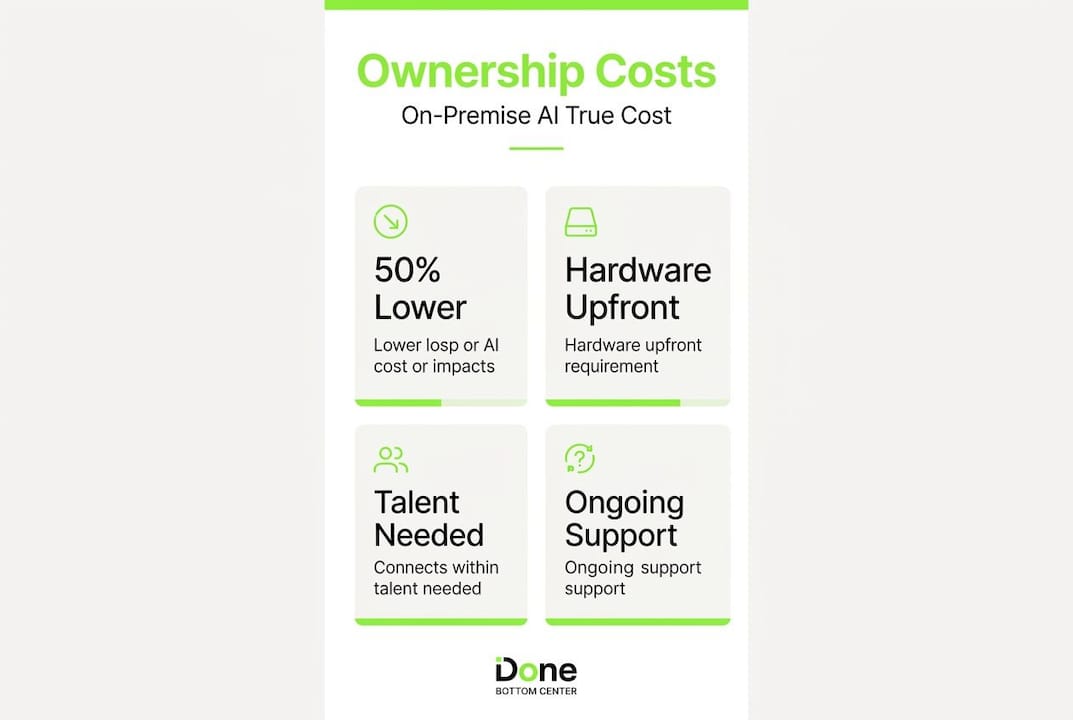
Hardware is the visible cost. Management talent, operational tooling, and the time your IT team spends on maintenance are the hidden ones. Calculating true total cost of ownership for self-hosted AI requires including talent, infrastructure management, and operational complexity, not just the server invoice.
Avoiding ad-hoc hybrid architectures
Many SMBs start with on-premise AI for one use case, then add cloud AI for another, then find themselves with an unplanned hybrid architecture that is difficult to secure and expensive to maintain. Building hybrid architectures without clear workload classification creates inefficiency and security gaps.
Pro Tip: Design your hybrid architecture intentionally from day one. Classify workloads before you deploy anything. Sensitive, latency-critical tasks go on-premise. Experimental or burst workloads go to the cloud. Document the routing logic and treat it as a governed policy, not an ad-hoc decision.
Architecture patterns and platform options
The right architecture for your on-premise AI deployment depends on your use cases, your data sensitivity profile, and your team’s technical capacity. There is no single correct answer, but there are well-established patterns that SMBs in Luxembourg can follow.
Infrastructure layers to consider
Most deployments sit somewhere on a spectrum between fully on-premise and fully cloud. The pragmatic options for SMBs are:
Fully on-premise: All inference and data processing happen on hardware you own. Maximum control, highest operational burden. Best suited for legal, healthcare, and financial firms with strict data residency requirements.
Hybrid cloud: Sensitive workloads run on-premise, experimental or non-sensitive workloads burst to cloud. SMBs deploying on-premise AI can use hybrid cloud to manage costs and flexibility effectively. This is the most common pattern for growing businesses.
Edge AI: Models run on devices at the point of use, such as in a retail environment or on manufacturing equipment. Less relevant for office-based SMBs but worth understanding if your use case involves real-time processing at a physical location.
Matching architecture to use case
The right infrastructure layer depends heavily on what you are asking AI to do. Retrieval-augmented generation (RAG) systems, which give your AI access to your internal knowledge base, work well on-premise because they require low latency and handle sensitive documents. Classification tasks, such as sorting invoices or flagging contracts, are well suited to on-premise deployment for similar reasons. Generation tasks like drafting documents can often run on-premise if your model is well selected. Agentic workflows that call external APIs may need a hybrid approach.
Platform options for SMBs
| Platform | Strengths | Limitations |
|---|---|---|
| NVIDIA AI Enterprise | Production-grade GPU management, wide model support | Licensing cost, requires NVIDIA hardware |
| Red Hat OpenShift AI | Enterprise Kubernetes-based platform, hybrid management | Complexity for small teams |
| Open-source stack (Ollama, vLLM) | Low cost, flexible, large community | Requires in-house expertise to maintain |
| Corvex Secure Model Weights | Hardware-enforced model IP protection via confidential computing | Emerging technology, limited ecosystem |
Confidential computing is worth noting specifically. Trusted Execution Environments (TEEs) ensure that model weights remain encrypted and isolated during inference, protecting intellectual property even when running on shared or third-party infrastructure. For SMBs with proprietary fine-tuned models, this is a meaningful risk mitigation.
A practical roadmap for Luxembourg SMBs
If you are ready to move from interest to planning, the following steps reflect what we have seen work consistently with SMB clients. Treat this as a programme, not a project.
-
Conduct a workload assessment. List every current or intended AI use case. For each one, classify the data sensitivity, latency requirements, and usage frequency. This classification drives every infrastructure and architecture decision that follows.
-
Engage compliance and legal early. Bring your data protection officer and legal counsel into the conversation before you select any technology. Map your use cases against GDPR obligations and the EU AI Act requirements. Our AI strategy roadmap for SMEs covers how to structure this assessment practically.
-
Choose build versus partner honestly. Evaluate your internal IT capacity with candour. If your team does not currently manage Linux servers, GPU drivers, and containerised applications, building an on-premise AI stack from scratch will be slow and risky. Partnering with a specialist for initial deployment and knowledge transfer is almost always faster and cheaper than pure in-house build.
-
Plan infrastructure upgrades before procurement. Audit your server room or colocation space for power capacity and cooling before ordering hardware. Discovering that your facility cannot support the power density of AI-optimised racks after the hardware arrives is an expensive delay.
-
Develop governance documentation. Write runbooks for routine maintenance tasks before the system goes live. Define who is responsible for patching, model updates, and incident response. Schedule GPU refresh cycles and retraining windows in advance. Treating on-premise AI as a long-term operational programme rather than a one-off purchase is the single biggest predictor of sustained success.
-
Plan for hybrid from the start. Even if your initial deployment is fully on-premise, design your architecture to accommodate cloud bursting for non-sensitive workloads. Hybrid cloud for SMB AI gives you cost flexibility as your usage grows.
Pro Tip: When presenting the business case to your CFO, frame on-premise AI as a capital investment with a three-year return horizon rather than a technology expense. Show the cloud cost trajectory alongside the on-premise capital and operating cost, and let the numbers make the argument. Most finance directors find the comparison persuasive once they see how cloud API costs scale with actual usage.
My honest take on on-premise AI for SMBs
I have worked with a number of SMB clients in Luxembourg on on-premise AI deployments, and the pattern I see most consistently is this: the initial enthusiasm is high, the hardware gets ordered, and then the operational reality sets in about three months after go-live.
The businesses that succeed are not necessarily the ones with the biggest IT budgets. They are the ones that treated the deployment as a programme with ongoing governance from the start. They assigned clear ownership, wrote runbooks before they needed them, and planned their first GPU refresh before the hardware arrived. They also partnered with external specialists for the pieces outside their core competency, rather than trying to build everything in-house.
The ones that struggle follow a different pattern. They underestimate what happens after deployment. Nobody owns patching. The model drifts because nobody scheduled retraining. The hybrid architecture grows organically and becomes impossible to audit. I have seen capable IT teams lose confidence in systems they built themselves, simply because governance was an afterthought.
My view is that on-premise AI is genuinely the right choice for many Luxembourg SMBs in legal, finance, healthcare, and accounting. The compliance case is real, the long-term cost case is solid, and the operational independence is valuable. But the honest qualification is that it is only the right choice if you are prepared to maintain it properly. If your team cannot commit to that, a well-governed cloud deployment with strong contractual data protections is better than an on-premise system that nobody trusts.
The middle path, and the one I recommend most often, is a hybrid model designed intentionally from day one, with clear workload classification and a realistic governance plan. That approach captures most of the compliance and cost benefits of on-site artificial intelligence while managing the operational burden to a level your team can sustain.
— Thomas
How Done can help you deploy on-premise AI
Done is a Luxembourg-based digital and AI consulting partner with direct experience helping SMBs in regulated sectors plan, deploy, and manage on-premise AI responsibly.

We guide you from initial workload assessment and compliance mapping through to hardware selection, software stack configuration, and team training. Whether you are exploring your first local AI solution or looking to formalise a governance framework around an existing deployment, our AI consulting for SMBs service gives you a clear path from where you are now to a system your team can rely on. If you want a broader view of digital strategy alongside AI, our digital consulting for Luxembourg SMBs service covers both. Speak to us before you order the hardware.
FAQ
What is on-premise AI?
On-premise AI means running artificial intelligence models and data pipelines on hardware you own and control, within your own facilities. No data is sent to external cloud providers.
How long does on-premise AI deployment take for an SMB?
A structured deployment programme typically takes 6 to 8 weeks from initial assessment to operational readiness, provided infrastructure requirements are identified early.
Is on-premise AI cheaper than cloud AI?
For sustained workloads, yes. Analysis indicates over 50% cost savings over three years for regulated-sector workloads compared to equivalent cloud AI spend, once capital and operating costs are properly accounted for.
Do I need to choose between on-premise and cloud AI?
No. Most SMBs benefit from a hybrid approach, placing sensitive and latency-critical workloads on-premise while using cloud for experimental or non-sensitive tasks. The key is to classify workloads intentionally before building the architecture.
How does on-premise AI help with GDPR compliance?
On-premise AI keeps data within your controlled infrastructure, eliminating cross-border transfers and third-party processing agreements that create GDPR complexity. It simplifies your data protection obligations significantly for sensitive workloads.