

HubSpot vs Pipedrive: the SMB buyer’s guide for 2026
August 8, 2026
Core Web Vitals: a practical guide for developers and SEOs
August 9, 2026
Unbounce is the better default choice for most paid-campaign marketers and SMBs. It loads faster on mobile, its Smart Traffic feature routes visitors to the best-converting variant automatically, and its conversion-capped pricing suits teams running high traffic volumes on a controlled budget. Instapage is the specialist pick when you need 1:1 ad-to-page personalisation at scale, enterprise collaboration workflows, or deep analytics across a large agency account.
- Unbounce suits solo operators, in-house marketers, and SMBs who want fast page builds, AI-assisted optimisation, and predictable costs without a developer.
- Instapage suits performance agencies and enterprise teams running large Google Ads or Meta budgets where each ad group needs its own personalised landing experience.
The single most important structural difference is how each platform caps your plan: Unbounce caps on conversions, Instapage caps on visitors. At high traffic volumes with modest conversion rates, that distinction changes your monthly bill significantly. Keep that in mind as you read the feature-by-feature breakdown below.
Table of Contents
- Unbounce vs Instapage: side-by-side comparison
- What Unbounce does well for paid traffic optimisation
- What Instapage does well for agency and enterprise programmes
- Feature-by-feature differences that matter for PPC and CRO
- How to choose between Unbounce and Instapage for your campaign
- What we have seen at Done: Central Europe considerations and GDPR notes
- Final recommendation by use case
- Key takeaways
- The case for not overthinking this choice
- Done’s landing-page build and optimisation service
- Sources and further reading
Unbounce vs Instapage: side-by-side comparison
| Dimension | Unbounce | Instapage |
|---|---|---|
| Best for | SMBs, solo marketers, mid-budget PPC | Agencies, enterprise, high-spend ad teams |
| Editor & design flexibility | Pixel-perfect drag-and-drop; large template library | Clean drag-and-drop; fewer templates but strong brand controls |
| Templates & speed to launch | Large template library; fast onboarding | Fewer templates; steeper initial setup |
| A/B testing & experimentation | Built-in A/B + Smart Traffic AI routing | Built-in A/B; no automated AI routing |
| Personalisation / dynamic content | Dynamic text replacement | AdMap 1:1 ad-to-page personalisation |
| Analytics & integrations | Google Analytics, HubSpot, Zapier, webhooks | Heatmaps (higher plans), AdMap analytics, Zapier |
| Collaboration & workflow | Basic commenting; suitable for small teams | Multi-user review flows; enterprise approval workflows |
| Publishing & page speed | Fast mobile load; WordPress plugin + custom domains | Solid performance; Thor Render Engine on higher plans |
| Pricing model | Conversion-capped plans | Visitor-capped plans |
| Support & onboarding | Live chat, email, knowledge base | Dedicated CSM on enterprise; chat and email on standard |
Smart Traffic vendor data cites an average conversion uplift of around 30% for customers using the AI routing feature, which is the headline performance claim separating Unbounce from a standard A/B testing setup.
Independent editorial comparisons consistently frame the split the same way: Unbounce for faster onboarding and flexible design; Instapage for enterprise personalisation and collaboration depth.
What Unbounce does well for paid traffic optimisation
Unbounce is built around one core promise: get a high-converting page live quickly, then let the platform optimise it for you. The drag-and-drop editor is genuinely pixel-perfect, meaning you can place any element anywhere on the canvas without being constrained by a grid. For marketers who need to match a landing page to a specific ad creative, that freedom matters.
The template library covers most paid-traffic verticals, from lead generation and SaaS trials to e-commerce product pages. Unbounce positions these templates explicitly for small businesses, pairing them with AI copywriting tools and pre-built integrations, to reduce time-to-launch.
Smart Traffic: the practical case for AI routing
Smart Traffic is Unbounce’s most distinctive feature for PPC teams. Rather than running a traditional A/B test where you wait for statistical significance, Smart Traffic automatically routes each visitor to the variant most likely to convert them, based on attributes like device, location, and browser. The vendor reports an average uplift of around 30% for customers using the feature.
The practical implication: you can run multiple page variants simultaneously without manually monitoring split percentages or pausing underperformers. For a solo marketer managing several campaigns at once, that removes a real operational burden.
Statistic callout: Unbounce’s Smart Traffic begins optimising after a relatively small number of visits, which means even campaigns with modest daily traffic can benefit from AI routing without extended wait times for a test to reach significance.
Pricing shape and conversion caps
Unbounce’s plans are capped by conversions, not visitors. If you are running a high-volume awareness campaign where click-through rates are strong but conversion rates are modest, you stay within your plan cap more easily than on a visitor-capped platform. This makes Unbounce structurally better value for media buyers running push or native traffic at scale.
Independent tests show Unbounce tends to convert better on mobile for push and native traffic, which is the dominant channel for many performance marketers in Central Europe.
Pros:
- Fast, intuitive editor with no developer required
- Smart Traffic AI routing reduces manual A/B management
- Conversion-capped pricing favours high-traffic, mid-budget campaigns
- Strong mobile page speed out of the box
- Large template library with vertical-specific options
- Integrates with Google Analytics, HubSpot, Mailchimp, and Zapier
Cons:
- Dynamic personalisation is limited to text replacement; no AdMap-style 1:1 matching
- Collaboration features are basic for larger agency teams
- G2 reviewers note that some advanced features have a learning curve despite the platform’s easy-entry reputation
Best for: In-house marketers at SMBs, solo PPC operators, and growth teams running Google Ads or Meta campaigns who want fast iteration without a developer on call.
Pro Tip: When trialling Unbounce, activate Smart Traffic on your first campaign from day one rather than starting with a manual A/B test. You will gather routing data immediately, and you can always review variant performance in the dashboard without the test ever “ending.”
What Instapage does well for agency and enterprise programmes
Instapage targets a different buyer: the performance agency or enterprise marketing team running large ad budgets across multiple clients or product lines. Its headline feature is AdMap, a visual tool that lets you map every individual ad in a campaign to its own dedicated landing page. At scale, that 1:1 matching between ad message and page content is one of the most reliable ways to lift Quality Score and post-click conversion rate simultaneously.
Editorial reviews confirm Instapage is recommended for high-spend performance teams and agencies that need 1:1 ad personalisation and enterprise reporting, with the caveat that key features often sit on higher or custom plans.
Collaboration and workflow depth
Where Unbounce is built for a single operator moving fast, Instapage is built for teams that need review and approval flows. Multiple users can comment directly on a page, tag colleagues, and move pages through a structured approval process before they go live. For agencies managing client sign-off on landing pages, this removes the back-and-forth of exporting screenshots and emailing feedback.
G2 user reviews corroborate Instapage’s strength in collaboration and analytics, while noting a steeper learning curve for users coming from simpler builders.
Pricing shape and visitor caps
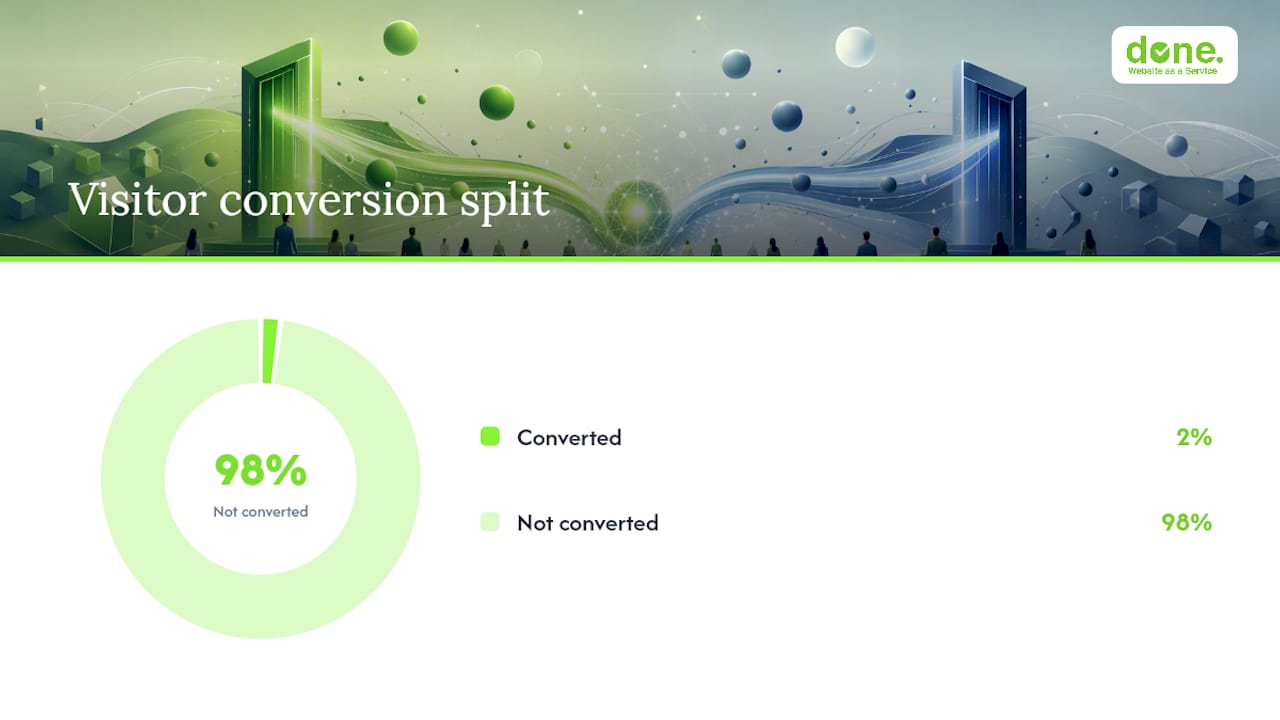
Instapage plans are capped by visitors, not conversions. At high traffic volumes, this can become expensive quickly. A campaign driving 50,000 monthly visitors to a page with a 2% conversion rate generates 1,000 conversions but consumes 50,000 of your visitor allowance. Teams running heavy traffic should model this carefully before committing to a standard plan and should request a custom Convert or enterprise quote when monthly visitor volumes are substantial.
| Feature | Standard plans | Enterprise / Convert |
|---|---|---|
| AdMap personalisation | Limited | Full 1:1 mapping |
| Heatmaps & analytics | Higher plans | Included |
| Collaboration workflows | Basic | Full approval flows |
| Visitor cap | Fixed monthly limit | Custom |
| Dedicated CSM | No | Yes |
Pros:
- AdMap enables genuine 1:1 ad-to-page personalisation at scale
- Enterprise collaboration and approval workflows
- Heatmaps and advanced analytics on higher plans
- Strong brand consistency controls across large page sets
Cons:
- Visitor-capped pricing becomes expensive at high traffic volumes
- Steeper learning curve for solo operators or small teams
- Fewer templates than Unbounce; slower initial setup
- Most compelling features require higher or custom pricing
Best for: Performance agencies managing multiple client accounts, enterprise marketing teams with large Google Ads or Meta budgets, and any team where 1:1 ad personalisation is a strategic priority.
Pro Tip: If your monthly ad spend is above €5,000 and you are running more than 10 distinct ad groups, request an Instapage Convert or enterprise quote directly rather than starting on a standard plan. The visitor cap on standard plans can create unexpected overages at that traffic level, and the enterprise tier unlocks AdMap in full.
Feature-by-feature differences that matter for PPC and CRO
The headline features look similar on paper. Both platforms offer A/B testing, integrations, and custom domains. The differences that actually move conversion rate and affect your operating cost are more specific.
A/B testing: automation vs manual setup
Unbounce’s Smart Traffic removes the need to manually monitor test performance and pause losing variants. Instapage’s A/B testing is competent but manual: you set traffic splits, wait for significance, and act on the result yourself. For a team running many campaigns simultaneously, the operational overhead of manual testing compounds quickly.
Personalisation: dynamic text vs AdMap
Unbounce supports dynamic text replacement, which swaps headline or body copy based on URL parameters. It works well for keyword-level personalisation in Google Ads. Instapage’s AdMap goes further: you visually connect each individual ad to a specific page variant, so a visitor clicking on a “summer promotion” ad lands on a page built specifically for that ad, not just a page with swapped text. When you are running dozens of ad groups, AdMap can lift Quality Score and post-click CVR in ways that text replacement alone cannot match.
Independent tests show that when deep ad-to-page personalisation is applied, Instapage can outperform on conversion rate, while Unbounce tends to win on mobile for push and native traffic.
Publishing and page speed
Mobile page speed is a direct ranking and Quality Score factor in Google Ads. Unbounce has consistently performed well in independent mobile load tests. Instapage’s Thor Render Engine, available on higher plans, addresses this, but the gap on entry-level plans is worth testing in your specific vertical before committing.
Integrations and tracking
Both platforms connect to Google Analytics 4, Meta Pixel, HubSpot, and Zapier. Webhook support is available on both, which matters for teams building custom lead routing or CRM automation. The key difference is that Unbounce’s conversion-capped model means your tracking strategy does not need to account for visitor overages; with Instapage, high-traffic campaigns require more careful monitoring of your visitor count against your plan limit.
Team workflows
Unbounce suits a team of one to three people moving fast. Instapage suits a team where a client, a strategist, a designer, and a legal reviewer all need to touch a page before it goes live. If your workflow involves client approval, Instapage’s collaboration layer is a genuine operational advantage. If it does not, you are paying for features you will not use.
How to choose between Unbounce and Instapage for your campaign
Work through this checklist before committing to a trial or a paid plan.
- Map your traffic profile. Estimate monthly visitors and monthly conversions separately. If your conversion rate is below 5% and you drive significant volume, a visitor-capped plan will cost more than a conversion-capped one at the same traffic level.
- Assess campaign complexity. Count your active ad groups. If you have fewer than 10 ad groups per campaign, dynamic text replacement covers most personalisation needs. Above that, AdMap becomes worth its cost.
- Audit your team bandwidth. One person managing multiple campaigns benefits from Smart Traffic’s automated routing. A team with a dedicated CRO analyst can extract more from Instapage’s manual testing and analytics depth.
- Check your integration stack. Both platforms connect to the major CRMs and analytics tools. Confirm your specific CRM (e.g. HubSpot, Salesforce, Pipedrive) is supported on the plan tier you are considering, not just on enterprise.
- Model the budget shape. Request a quote for both platforms at your actual traffic volume. The sticker price on the homepage is rarely the number that applies to a mid-size campaign.
- Run a 7–14 day proof window. During a trial, test one live campaign on each platform if possible. Measure page load time on mobile, lead quality (not just volume), and how long it takes your team to build and iterate a page.
Red flags that mean you should request an enterprise quote or hire an agency:
- Your monthly visitor volume exceeds the standard plan cap and you are seeing overage charges in the first month.
- You need GDPR-compliant data processing agreements (DPAs) with the vendor, and the standard plan does not include them.
- Your campaigns span three or more languages and you need structured localisation workflows, not just copy-paste page duplication.
- Your team has no one who can manage A/B test analysis alongside campaign management.
For a practical framework on optimising digital campaigns for better ROI, the decision between self-serve tooling and agency support often comes down to whether your team has the bandwidth to act on the data these platforms generate.
What we have seen at Done: Central Europe considerations and GDPR notes
We have used both platforms across client campaigns in Luxembourg and the broader Central European market. The pattern we see consistently: SMBs with modest budgets and a single in-house marketer get faster results with Unbounce because the time-to-first-live-page is shorter and Smart Traffic removes the need for a dedicated CRO resource. Larger clients running multi-language campaigns across Luxembourg, Belgium, and Germany have found Instapage’s collaboration layer useful when multiple stakeholders need to approve copy before a page goes live.
GDPR and hosting checklist for Central Europe
Before publishing any landing page to a Central European audience, confirm the following with your chosen vendor:
- Data Processing Agreement (DPA): — Both Unbounce and Instapage offer DPAs, but you must request and sign one. It is not automatic on standard plans.
For teams building GDPR-compliant automation workflows, the landing page is the first data collection point in the funnel and the most scrutinised by regulators.
Localisation and multilingual campaigns in Central Europe
Luxembourg’s market is trilingual (French, German, Luxembourgish) and most campaigns targeting the broader region need at least French and German variants. Neither Unbounce nor Instapage has a native multilingual workflow: you duplicate pages and manage language variants manually. For hreflang implementation, you will need to set canonical URLs carefully, particularly if you are publishing pages on a subdomain rather than your main domain.
Practical tips:
- Use separate page sets per language rather than URL parameters for language switching; it makes hreflang cleaner and analytics segmentation easier.
- If you are running multi-currency signals (e.g. EUR pricing for Luxembourg vs CHF for Swiss audiences), build separate page variants rather than relying on dynamic text replacement for currency symbols.
- Test page load speed from a Central European server location, not just from a US-based test tool, as CDN performance varies by region.
Final recommendation by use case
- Solo marketer or SMB with one in-house PPC manager: — Unbounce. Faster to launch, easier to optimise without a dedicated CRO resource, and conversion-capped pricing is more predictable.
- Agency managing multiple client accounts: — Instapage, specifically the enterprise or Convert tier, for collaboration workflows and AdMap personalisation.
When neither platform fits cleanly, or when your team does not have the capacity to manage ongoing A/B testing and page iteration, the agency route is often faster and cheaper than the accumulated cost of a self-serve subscription plus staff time. Done has built and optimised landing pages for clients across Luxembourg and Central Europe since 2014, and we are direct about when a tool is the right answer versus when a managed service delivers better ROI.
Last reviewed: June 2026.
Key takeaways
Unbounce is the better default for most SMBs and solo marketers; Instapage earns its cost only when 1:1 ad personalisation and enterprise collaboration are genuine operational requirements.
| Point | Details |
|---|---|
| Pricing model is the key decision | Unbounce caps on conversions; Instapage caps on visitors. Model your traffic before committing. |
| Smart Traffic removes manual A/B overhead | Unbounce’s AI routing reports around 30% average uplift and suits teams without a dedicated CRO analyst. |
| AdMap is Instapage’s real differentiator | 1:1 ad-to-page personalisation lifts Quality Score and post-click CVR at scale, but requires higher or custom plans. |
| GDPR compliance is your responsibility | Request a DPA, configure consent management, and confirm data residency regardless of which platform you choose. |
| Done for managed campaigns | When team bandwidth is the constraint, Done’s landing-page build and CRO retainer delivers faster results than DIY tooling. |
The case for not overthinking this choice
Most of the Unbounce vs Instapage debate in 2026 focuses on features. The more useful frame is operational: which platform will your team actually use consistently, and which pricing model matches your traffic reality?
We have seen clients in Luxembourg spend three months evaluating tools and zero months improving their pages. The platform that gets a page live this week and iterates it next week beats the theoretically superior platform that is still being configured in month two.
Unbounce wins on speed and accessibility. Instapage wins on depth and personalisation. Neither wins if it sits unused because the setup was too complex or the cost overran the budget.
For most SMBs in Central Europe, Unbounce is the practical starting point. If you outgrow it, the case for Instapage or a managed agency engagement becomes obvious from your own data, not from a feature comparison article.
Done’s landing-page build and optimisation service
If you have read this far and your honest answer is “we do not have the time or the in-house expertise to manage this properly,” that is a reasonable conclusion.
Done builds and optimises landing pages for paid campaigns as part of its digital marketing workflow service. We handle page architecture, A/B test design, GDPR-compliant tracking setup, and ongoing iteration, so your team focuses on campaign strategy rather than page management.
Engagements run as project-based builds or as part of a monthly Website as a Service retainer, depending on your campaign cadence. There are no setup fees and no long-term lock-in. If you want to understand what a landing-page CRO project would look like for your specific campaigns, get in touch with the Done team for a straightforward conversation about scope and cost.
Sources and further reading
Pre-approved citations used in this article:
- Unbounce vs. Instapage 2026: Which Landing Page Builder Wins for Affiliates? – Affiliate Times
- Unbounce Smart Traffic – AI-based Landing Page Optimization Tool
- Landing page builder and CRO tools for Small Business | Unbounce
- Instapage Review – Landing Page Optimization Tool
- Unbounce vs Instapage: Which Landing Page Builder is Better in 2026?
- g2.com
- g2.com
Further reading from Done:
- How to generate leads online: practical guide for Luxembourg SMEs
- How to optimise digital campaigns for better ROI
- How to implement GDPR-compliant automation for SMEs
- 7 essential web design elements for higher conversion rates