

How to make business scenarios that a small team can use today
August 27, 2026
Avoid a Month of Missing Reports: Local Matomo Install Rules for SMBs
August 29, 2026
UTM tags let you attribute clicks and conversions to specific campaigns. Create utm_source, utm_medium and utm_campaign for your next link, and the data will show up in Google Analytics within minutes. Get the naming right from the start, because fixing it later means messy reports and guesswork. Done helps clients set this up correctly the first time.
TL;DR:
- Using lowercase consistently and a fixed parameter order prevents data fragmentation and simplifies report analysis over time.
- Properly naming and testing UTM links before launch avoids errors that can lead to inaccurate attribution and wasted campaign investment.
- Maintaining a shared, enforced naming spreadsheet with designated ownership ensures campaign tags remain consistent and prevents duplicates.
- Combining UTM data with cost per channel enables accurate measurement of campaign return on investment rather than relying on platform reports alone.
- Automating UTM creation through tools or automation platforms reduces errors and streamlines tagging across multiple campaigns and channels.
Table of Contents
- What do UTM parameters actually mean?
- How do you build, test and deploy a UTM-tagged link?
- What naming rules keep your UTM data usable?
- Where do you see UTM data in analytics, and what should you do with it?
- What mistakes wreck UTM data most often?
- What does good UTM structure look like for email, social and PPC?
- How do you fit UTM tagging into a team’s actual workflow?
- Does UTM tagging raise any privacy or compliance concerns?
- Which tools actually speed up UTM tag creation?
- Done’s practitioner rules for getting UTM tracking right
- Want your tracking set up properly from the start?
- Sources
What do UTM parameters actually mean?
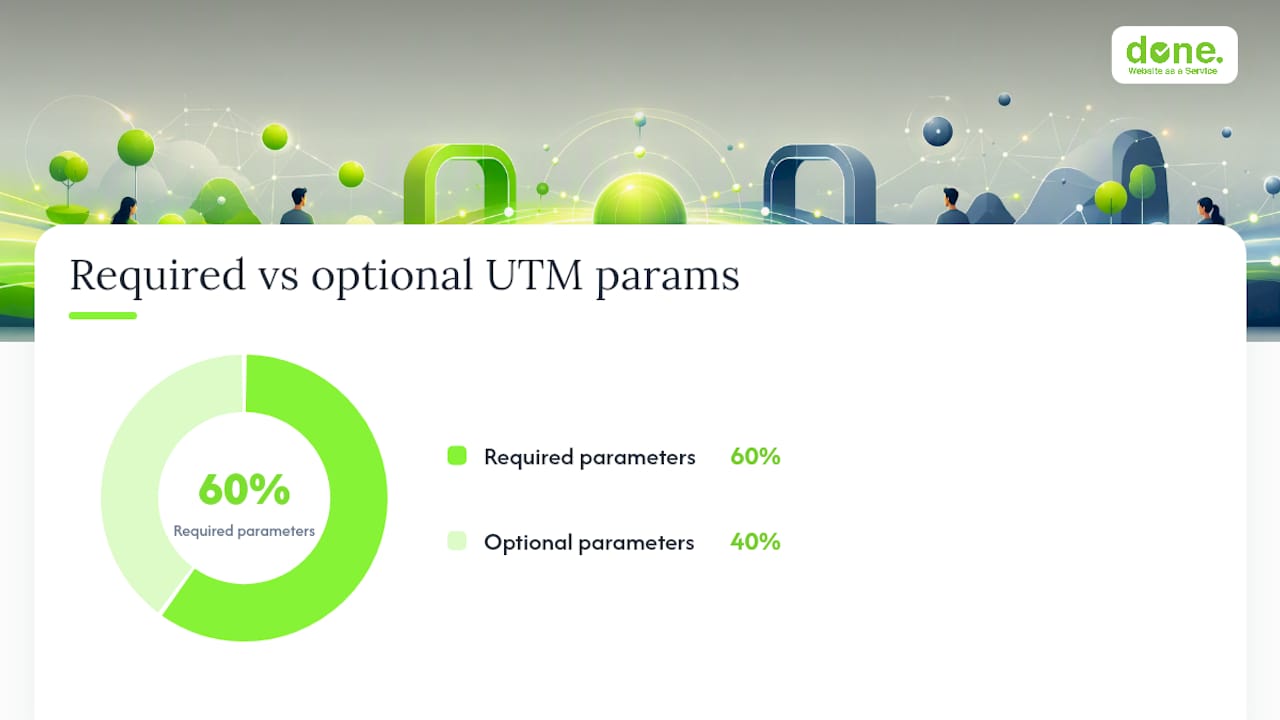
UTM tags are query strings added to the end of a URL. Analytics platforms read them to attribute a visit, and later a conversion, back to the exact campaign that caused it. There are five standard parameters, and only three of them are strictly required for basic reporting.
- utm_source — where the traffic comes from, such as
newsletter,facebookorgoogle. - utm_medium — the channel type, such as
email,socialorcpc. - utm_campaign — the specific campaign name, such as
spring_sale. - utm_term — used almost exclusively for paid search, to record the keyword that triggered the ad.
- utm_content — distinguishes between variants within the same campaign, such as two different email buttons or two ad creatives.
A real example: a Facebook post promoting a webinar might carry utm_source=facebook&utm_medium=social&utm_campaign=webinar_march&utm_content=video_ad. If you later run a second version with a static image, you change only utm_content, so both link back to the same campaign but report separately.
Case matters more than most marketers expect. Newsletter and newsletter are treated as two different sources by most platforms, splitting one channel’s data into two rows. Lowercase everything, always, without exception.
How do you build, test and deploy a UTM-tagged link?
Getting the URL right takes five minutes. Getting the habit right takes a bit more discipline. Here’s the sequence Done runs through with clients before any campaign goes live.
- Pick the canonical landing page — the exact URL you want to send traffic to, ideally without existing tracking parameters attached.
- Agree the campaign name first, before touching any tool. This avoids five people inventing five different names for the same push.
- Build the link using a UTM builder or by appending parameters manually in a fixed order:
?utm_source=x&utm_medium=y&utm_campaign=z&utm_term=a&utm_content=b. Consistent order makes spreadsheets and audits far easier to scan. - Test the link in a private or incognito window before sending it anywhere. This avoids your own cached session skewing the first data point.
- Check the analytics platform within the hour to confirm the source, medium and campaign appear as expected. If nothing shows up, the parameter names are usually the problem, not the platform.
- For QR codes or printed material, run the destination URL through a shortener first, then generate the QR code from the shortened link. Scan it yourself before printing anything, and confirm the redirect lands on the full tagged URL rather than stripping the query string.
Event organisers use exactly this approach. Fienta’s guidance on tracking event marketing channels shows how adding UTM parameters to ticket-page links reveals which channel, Facebook, Instagram or a newsletter, actually produced ticket sales rather than just clicks.
Pro Tip: Keep a spare tagged link in your notes app for QR testing. Scan it with three different phones before a print run, because some default camera apps handle redirects differently, and you do not want to discover that after five thousand flyers are already at the printer.
What naming rules keep your UTM data usable?
Bad naming is the single biggest reason UTM data becomes unreliable within a few months. The fix is not complicated. It just needs someone to actually enforce it.
- Use lowercase everywhere, no exceptions, even for brand names.
- Pick one separator, either underscores or hyphens, and never mix them within the same account.
- Avoid spaces, accented characters and punctuation that could break when a link gets copied into an email client.
- Use canonical campaign names agreed in advance, not whatever the person building the link feels like typing that day.
A shared spreadsheet with six columns, source, medium, campaign, content, owner and start date, solves most governance problems on its own. It sounds almost too simple to matter, but a small shared sheet with one named owner reduces reporting friction far more reliably than expensive tagging software, according to Ecwid’s guide to UTM tracking for online stores.
A typical taxonomy row looks like this: source: linkedin, medium: social, campaign: q2_lead_gen, content: carousel_v1, owner: marketing_manager, start_date: 2026_04_01. Whoever manages the spreadsheet should be the same person who approves new campaign names, otherwise duplicates creep in within weeks. In a small team, that is usually the marketing manager. In a larger one, it is worth assigning it explicitly rather than assuming someone will pick it up.
Where do you see UTM data in analytics, and what should you do with it?
Google Analytics surfaces UTM data under acquisition reports, broken down by source, medium and campaign. Most platforms let you drill further into utm_content and utm_term if you need to compare creative variants or keyword performance side by side.
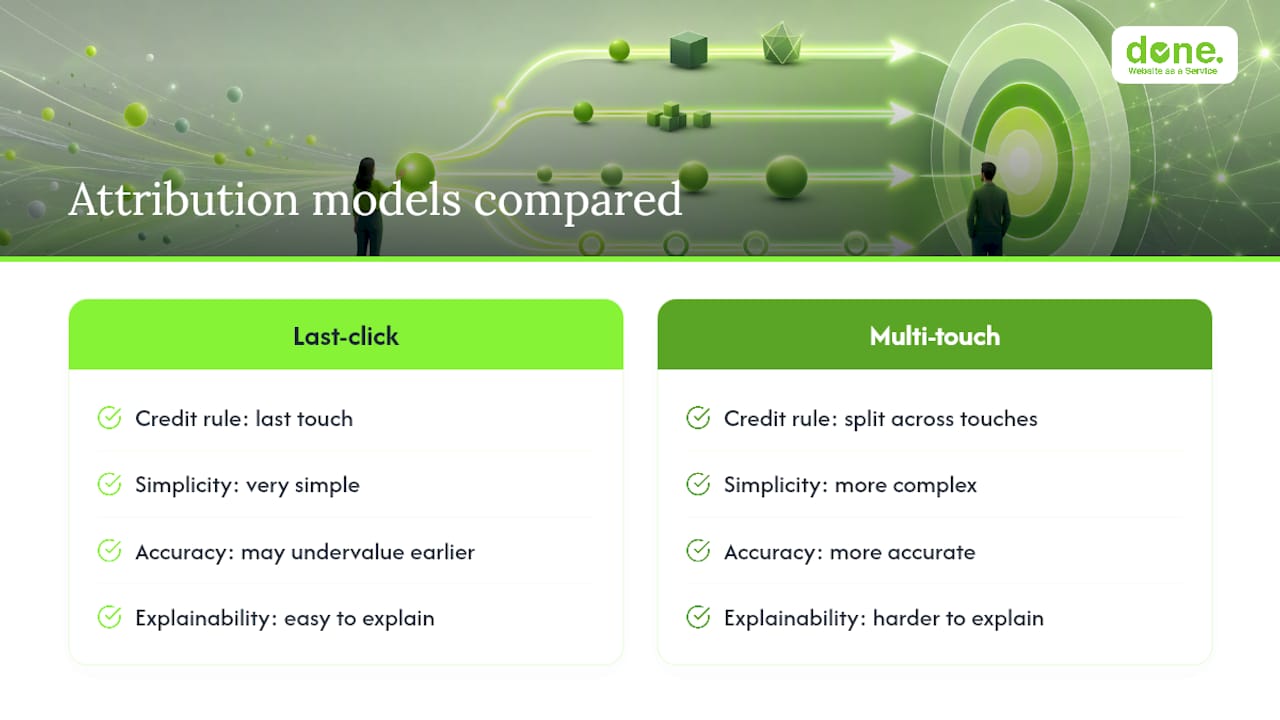
Attribution is where it gets genuinely useful, and genuinely tricky. Last-click attribution gives full credit to whichever UTM-tagged link the visitor clicked immediately before converting, which is simple but can undervalue channels that influence a decision earlier in the journey, like a social post someone saw a week before buying. Multi-touch models spread credit across several touchpoints, which is more accurate but harder to explain to a room of stakeholders in five minutes.
Once the data is flowing, the real value is combining it with cost. Pull ad spend by channel, divide by UTM-attributed conversions from that same channel, and you get a genuine cost-per-acquisition figure per campaign, not per platform-reported estimate. Comparing UTM-tagged performance against spend is exactly how Ranktracker’s step-by-step guide recommends assessing whether a channel earns its budget.
Analytics done right can move the needle significantly. Marketing teams that act on structured analytics data rather than gut feel report notably better returns on marketing spend, which is really just a formal way of saying that reallocating budget towards what UTM data proves is working beats reallocating it towards what feels like it should be working.
If you want a deeper look at connecting this attribution work to actual budget decisions, our guide on optimising digital campaigns for better ROI walks through the calculation in more detail.
What mistakes wreck UTM data most often?
Most broken UTM reporting comes down to a short list of repeat offenders.
- Inconsistent casing splits one channel into several rows in your reports. Fix it by enforcing lowercase at the point of creation, not after the fact.
- Duplicate tags on the same link happen when two people build the same campaign’s URL independently. A shared spreadsheet with one owner prevents this.
- Internal links carrying UTM parameters overwrite the original referrer when a visitor clicks from one tagged page to another on your own site, wiping out the true source. Never put UTM tags on internal navigation links, only on links pointing in from outside.
- Shorteners stripping query strings is the most common QR code failure. Always test the shortened link before printing anything, and check that the full parameter string survives the redirect.
- For historical data already broken by inconsistent naming, a manual cleanup in a spreadsheet, mapping old variants to one canonical name, is usually faster than trying to fix it retroactively in the analytics platform itself.
What does good UTM structure look like for email, social and PPC?
Different channels call for slightly different tagging logic, mostly because they fail in different ways if you get it wrong.
Email campaigns should tag every send individually, even within the same newsletter series: utm_source=mailchimp&utm_medium=email&utm_campaign=april_newsletter&utm_content=button_top versus utm_content=button_bottom. This is the fastest way to learn that your footer link genuinely outperforms your header link, or the other way round.
Social media benefits from tagging by platform and post type rather than lumping everything under one generic social source: utm_source=instagram&utm_medium=social&utm_campaign=summer_launch&utm_content=reel separated from utm_content=carousel. Platforms report their own engagement numbers, but only UTM tagging tells you which post type actually drove someone to your site.
PPC campaigns should use utm_term properly, since it is built for exactly this purpose: utm_source=google&utm_medium=cpc&utm_campaign=brand_search&utm_term=web+design+luxembourg. Skipping utm_term on paid search is one of the most common gaps we see, and it throws away the one parameter that tells you which keyword is actually converting.
The pattern across all three: keep utm_campaign identical for anything that belongs to the same push, and use utm_content or utm_term to separate the variants underneath it.
How do you fit UTM tagging into a team’s actual workflow?
The technical part of UTM tagging is genuinely easy. The organisational part, getting five people to tag consistently over six months, is where most companies fail quietly.
The fix that actually works is boring: one shared naming document, one person with final approval on new campaign names, and a rule that no link goes live without being checked against the sheet first. Slotting UTM creation into whatever tool your team already uses for briefs or campaign planning removes a step, rather than treating tagging as a separate task someone remembers to do afterwards.
If your marketing runs through an automation platform, tagging can often be built into the workflow itself, so every email, ad set or social post pulls a consistent campaign name automatically rather than relying on someone typing it correctly each time. Our overview of digital marketing workflow for lead generation covers how tracking fits into that bigger structure, not just the tagging itself.
Does UTM tagging raise any privacy or compliance concerns?
UTM parameters themselves carry no personal data. They describe the campaign, not the person, so a link tagged utm_source=newsletter&utm_medium=email tells you nothing about who clicked it beyond what your analytics platform separately records about that visit.
The compliance question sits one layer up, in how your analytics tool processes and stores the visit data that gets attributed to that tag. For businesses handling data in regulated sectors, or simply operating under GDPR, the safer pattern is server-side measurement with documented data flows, rather than relying purely on client-side scripts that vary in what they capture. This does not change how you write a UTM tag, but it does change how you configure the analytics platform receiving it.
Treat UTM tagging as a labelling system sitting on top of whatever consent and data-handling rules already govern your website. Get those rules right first, and the tags themselves add no additional privacy exposure worth worrying about.
Which tools actually speed up UTM tag creation?
Manually typing parameters works fine for one or two links a month. It falls apart the moment a team runs several campaigns a week across email, social and paid search simultaneously.
Dedicated UTM builders solve the repetition problem by locking the parameter order and format, so nobody accidentally swaps utm_medium and utm_source under deadline pressure. Spreadsheet-based builders, essentially a template with dropdown menus tied to your naming sheet, work just as well for smaller teams and cost nothing beyond the time to set one up properly. Some marketing automation platforms generate UTM-tagged links automatically as part of campaign creation, removing the manual step entirely once configured.
Using a structured builder rather than freehand typing is one of the clearest ways to cut tagging errors at scale, a point Ranktracker’s guide on UTM parameters makes explicitly. The tool matters less than the discipline of always using the same one, so every link in your account follows the identical pattern.
Done’s practitioner rules for getting UTM tracking right
We document every campaign tag in a shared tagbook before it goes live, not after. Every new link gets tested in staging first, and one named person owns the naming sheet, no exceptions.
Tracking only earns its keep when someone actually acts on it. We map UTM data straight into conversion optimisation work, so a campaign that drives clicks but not sign-ups gets flagged early rather than discovered three months into a budget review. That link between tagging and action is where most in-house setups quietly break down.
— Thomas
Want your tracking set up properly from the start?
Done is the alternative to hiring a full-time analytics specialist for campaign tracking. We audit your existing tags, fix the naming mess if one exists, configure your analytics platform correctly, and hand you a tagbook your whole team can actually follow, without a long-term retainer attached.

A typical small project runs in four steps: audit your current tagging and analytics setup, implement a clean UTM structure and naming sheet, test every link across email, social and paid channels, then hand it over with documentation your team owns going forward. It usually takes less time than most business owners expect, because the technical part is quick once the naming decisions are made.
If your campaign data currently tells you less than it should, get in touch through our digital marketing workflow page and ask for a tracking audit. We will tell you honestly whether your setup needs a rebuild or just a naming clean-up.
Sources
- Kaip UTM žymos padeda analizuoti jūsų internetinės parduotuvės srautą
- Stebėkite renginio rinkodaros kanalus su UTM parametrais | Fienta
- UTM parametrų įvaldymas siekiant sėkmingų internetinių kampanijų: Žingsnis po žingsnio vadovas