

350–1,000 Conversions: When SMB A/B Tests Pay Off and Stay GDPR Aware
September 19, 2026
Document version control gives every team a single, traceable record of who changed a file, when, and why, so nobody works from the wrong draft or overwrites someone else’s edits. Done properly, it speeds up approvals because reviewers know exactly which version they’re signing off, and it satisfies auditors who need to see a clean history. Most SMEs get there with either automatic cloud history or a proper document management system (DMS) with built-in workflows.
TL;DR:
- Automatic cloud history is suitable for small teams with collaborative drafting needs, but it lacks formal approval and checkpoint features.
- Proper version control must include features like named versions, audit trails, and check-in or file locking to prevent simultaneous editing conflicts.
- Implementing consistent naming schemes and requiring a labeled checkpoint before reviews significantly reduces document chaos with minimal effort.
- Moving to a dedicated document management system is justified for regulated industries or teams needing formal approval and audit-ready records.
- A successful rollout involves a short pilot on one document type, clear rules, training, and ongoing monitoring to ensure adoption and compliance.
Table of Contents
- What is document version control and which model fits your team?
- What features should you expect from a proper versioning system?
- Operational best practices you can adopt this week
- How do you design approval workflows around versions?
- A step-by-step rollout plan: assess, pilot, train, enforce, measure
- Common pitfalls we see at SMEs, and how to fix them
- When should you stick with platform history versus move to a DMS?
- Get your document workflow audited before you buy any software
- Sources
- FAQ
What is document version control and which model fits your team?
Document version control is the practice of tracking every meaningful change to a file so you can identify, compare, and restore earlier states without confusion over “final_v2_ACTUAL” style filenames. It sounds basic. In our experience, it’s the single most underestimated fix for internal chaos at growing SMEs.
Three models dominate in practice:
- Automatic platform history (Google Workspace, Microsoft 365): every save is logged silently, restore is one click, but formal sign-off and named checkpoints are weak or missing.
- Document management systems (DMS): built for check-in/check-out, approval states, and audit trails, but they need setup time and usually a licence fee.
- Manual filename versioning: still common for one-person tasks or very small teams, though it collapses fast once more than two people touch a file.
SharePoint’s own documentation shows how a platform can sit between the first two models, offering per-library settings for major and minor versions and approval steps without the full weight of a dedicated DMS.
What features should you expect from a proper versioning system?
A version control setup that’s actually worth paying for covers six things. Miss any one of them and you’ve built a system with a gap someone will eventually fall through.
- Version history and restore: every prior state stored and recoverable, not just the last save.
- Named versions: a checkpoint you can label (“Client Draft”, “Legal Review”) rather than a raw timestamp.
- Major/minor versioning: numbering like 2.1 signals scale of change without anyone opening the file.
- Check-in/check-out and file locking: prevents two people editing the same file section simultaneously in file-based systems.
- Approval workflows and status labels: a version can be marked “Approved” or “Draft” and that label travels with it.
- Audit trails and metadata: who changed what, when, and ideally why.
Medium-sized companies that adopted a proper DMS reported a 34% reduction in document processing time and average savings of €45,000 a year in one industry analysis, largely from cutting the time staff spent hunting for the right file version.
Pro Tip: *If you only implement one feature this quarter, make it named checkpoints before review.
Operational best practices you can adopt this week
You don’t need new software to fix most version chaos. You need rules everyone actually follows.
- Fix a naming and versioning scheme. Something like
Document_v2.1_2026-04-01_ABtells you the document, version, date, and author’s initials at a glance. - Centralise active documents in one controlled repository. Stop letting copies live on individual desktops or personal drives; set role-based access instead.
- Require a named checkpoint before any review or external issue. No document goes out for client sign-off without a labelled version first.
- Record the rationale for each revision. A one-line changelog entry (“removed outdated pricing, added new terms”) saves hours later.
- Set retention and backup policies with a stated timeline. Decide upfront how long old versions live and where backups sit.
Industry best-practice guidance for 2026 consistently points to consistent naming and documented rationale as the two changes with the highest return for the least effort, which matches what we’ve seen with clients rolling out their first governance rules.
How do you design approval workflows around versions?
The workflow only works if the version itself carries the approval status, not a separate spreadsheet tracking “who signed what.”
Keep the states minimal: draft → in review → approved → issued → archived. Five states cover almost every SME document, from contracts to marketing collateral.
- Attach approval metadata (name, date, role) directly to the approved version so issuance is reproducible without digging through email threads.
- Choose check-out for file-based edits (contracts, technical specs) and real-time co-editing for collaborative drafts (internal memos, brainstorm documents).
- Capture who approved which version, and when, as part of the file’s record rather than a side conversation.
- Keep the final issuance record attached to the file itself, not in a separate approval log that can drift out of sync.
This is where automatic cloud history often falls short: it logs edits well but rarely produces a clean, formal issuance record on its own, which is a gap Move-Docs’ analysis of team version control highlights as one of the main reasons regulated teams move to a dedicated DMS.
A step-by-step rollout plan: assess, pilot, train, enforce, measure
Rolling out version control badly is worse than not rolling it out at all, because a half-adopted system just adds a second source of confusion on top of the first.
- Assess your document types, volume, and compliance needs. A five-person marketing team has very different requirements from a regulated finance department.
- Pilot with one document class and one team for four to eight weeks. Contracts or client proposals work well as a first test because the stakes make people pay attention. Piloting narrowly before wider rollout also surfaces the minimum governance that actually sticks, rather than the rules that look good on paper.
- Define naming rules, states, retention, and backup before scaling further. Write it down. A verbal agreement dies within a month.
- Integrate with existing systems where it matters. If you run a CRM or ERP, plan for exports and check whether versioned files need to sync automatically.
- Train with a short playbook, cover exceptions, and audit after the first full cycle. One page beats a 20-slide deck nobody reads twice.
Cost bands vary widely: platform-based versioning through tools you already pay for (Google Workspace, Microsoft 365) costs nothing extra, while a dedicated DMS typically involves licence fees plus implementation time, often several weeks depending on document volume and integration needs.
Common pitfalls we see at SMEs, and how to fix them
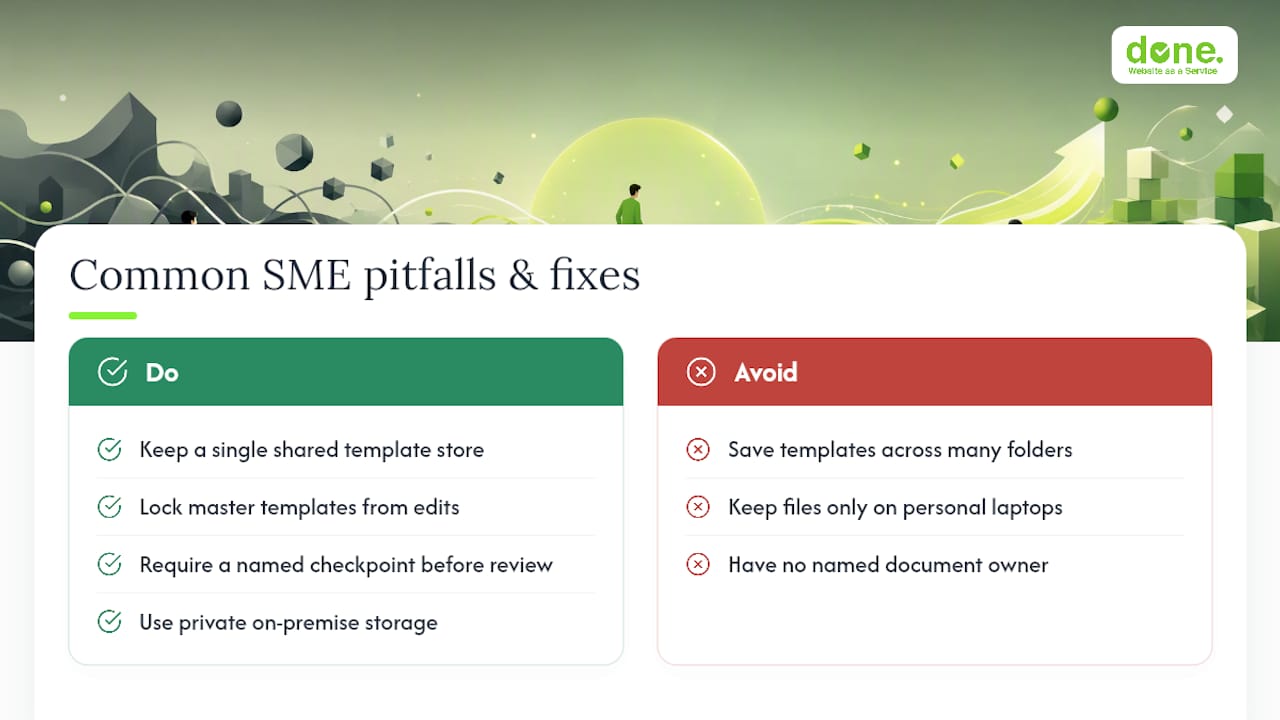
The failures are rarely technical. In our experience with clients across Luxembourg, the same three problems show up again and again: scattered templates saved in five different folders, files living on individual laptops instead of shared storage, and nobody clearly owning the “official” copy.
The fixes are unglamorous but effective. One shared template store. Lock the templates so nobody edits the master by accident. Require a named checkpoint before anything goes to review.
Where documents involve sensitive client, financial, or health data, GDPR obligations mean the storage location and access controls matter as much as the versioning itself, which is where a private or on-premise setup sometimes makes more sense than a public cloud platform.
When should you stick with platform history versus move to a DMS?
The decision usually comes down to four things: team size, document volume, regulatory obligations, and how much you need version data to talk to other systems.
If you’re mostly drafting collaboratively and speed matters more than formal sign-off, built-in platform history is enough. Once you need formal issuance, audit-ready records, or regulatory proof of who approved what and when, a dedicated DMS with centralised versioning earns its cost.
— Thomas
Get your document workflow audited before you buy any software
Done is the alternative to guessing your way through a DMS purchase: we audit how your team actually handles documents today, then tell you honestly whether you need new software or just better rules.

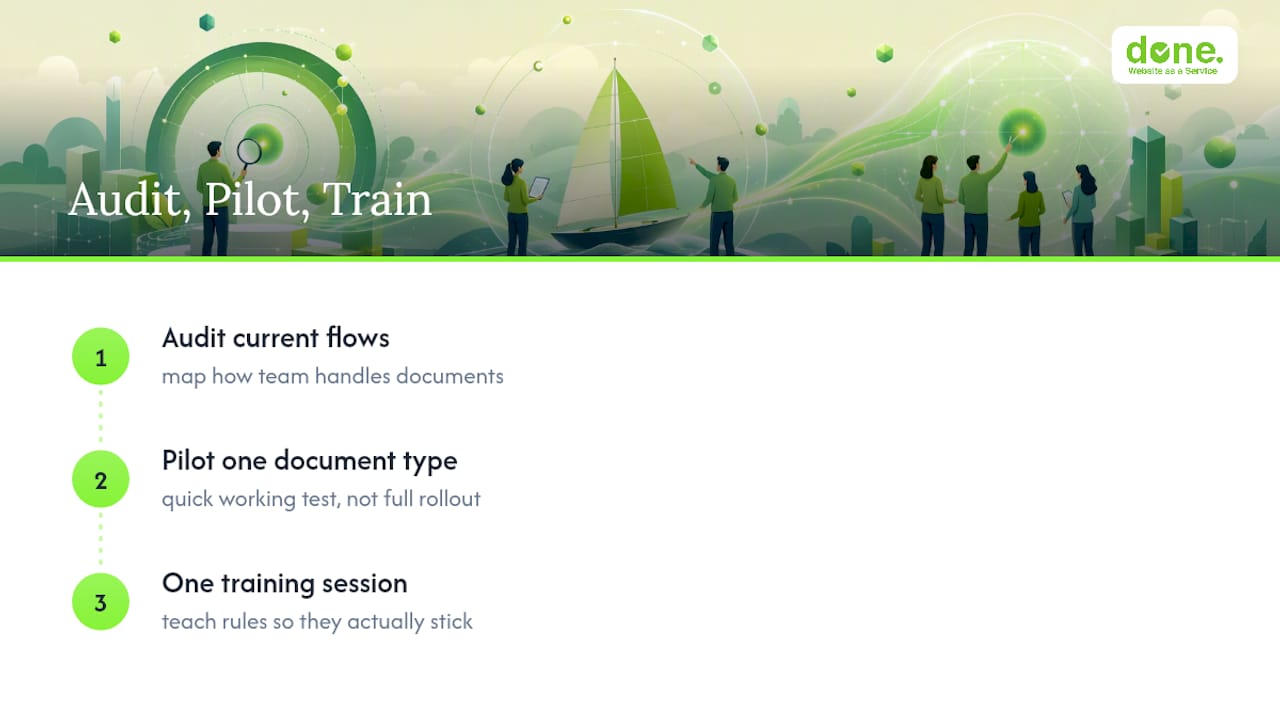
Most SMEs we work with don’t need an expensive DMS on day one. They need a short pilot: a quick audit of current document flows, a working pilot on one document type, and one training session so the rules actually stick. That’s the practical starting point, not a twelve-month software rollout.
If document confusion is bleeding into your marketing or client-facing work, it’s often tangled up with wider workflow issues we cover in our guide to digital marketing workflow for lead generation. And if the real problem is that your website itself is running on outdated files and unclear ownership, our Website as a Service plans, starting at €195 a month for the One Pager tier, include ongoing maintenance so that stops happening.
Get in touch through our consulting services page and we’ll tell you straight whether a pilot makes sense for your document volume, or whether a simpler fix will do.
Sources
For configuration detail, SharePoint’s versioning and approval documentation is the primary source. For operational rules, see CatchDiff’s best-practice list and SheetMergy’s practical team guide.
- Document versioning, content approval and check-out controls in SharePoint – Microsoft Support
- Top 10 Document Version Control Best Practices for 2026 — CatchDiff
- Document Version Control: Best Practices for Teams in 2026 | Move-Docs
FAQ
What is document version control?
Document version control is the practice of tracking changes to a file over time so you can see who changed what, restore earlier versions, and avoid working from an outdated draft. It typically works through either automatic cloud platform history or a dedicated document management system.
What’s the difference between major and minor versions?
Major versions mark significant changes, like a full rewrite or new terms, while minor versions mark small edits, like fixing a typo. This semantic versioning approach lets stakeholders judge how much has changed without reopening the file.
Do I need a DMS, or is Google Drive’s version history enough?
If your team is mainly drafting collaboratively without formal sign-off requirements, built-in history in Google Workspace or Microsoft 365 is usually enough. Once you need reproducible approval records for compliance or client issuance, a dedicated DMS becomes worth the setup cost.
How do you version control documents generated automatically from templates?
Treat each generation event as a transaction: log the template version, the input data snapshot, and the output together so any issued document can be reproduced exactly. This practical guide to generated document governance recommends keeping all three tied to the same record rather than storing the output alone.
How long does it take to roll out version control at an SME?
A single-team pilot on one document type typically runs four to eight weeks before wider rollout, followed by an audit after the first full cycle. Done can run this audit and pilot for you through its consulting services, with pricing available on request.