

Facebook ad automation for SMEs: a practical 2026 guide
August 10, 2026
B2B SEO keywords: the Central Europe conversion playbook
August 12, 2026
For most enterprise teams, the right starting point is the ingest pattern: pull SharePoint content through Microsoft Graph API, parse and chunk it, then index it into Azure AI Search with ACL metadata materialised at index time. Choose the remoteSharePoint pattern (Copilot Retrieval API) only when you cannot tolerate index lag, when your corpus changes faster than your ingestion schedule, or when operational simplicity outweighs the latency cost of a live query against SharePoint at retrieval time.
The core justification is straightforward. Ingest gives you sub-100ms retrieval, predictable costs, and full control over chunking and embedding quality. RemoteSharePoint preserves live item-level ACLs without duplicating a large index, but it trades off latency and occasionally requires higher runtime budgets for the orchestrator. Both patterns require the same foundational discipline: permissions must be resolved before chunks enter the prompt, not after.
Before you write a single line of pipeline code, make three decisions: confirm your legal and compliance basis for indexing employee-accessible content (GDPR Articles 13/14 and, in Luxembourg and Germany, works council obligations); choose your permission model (materialised ACLs in the index vs. OBO token forwarding at query time); and decide which prototype pattern to validate first. Everything else follows from those three choices.
Three immediate decisions to lock in:
- Legal/compliance check: Activate the Microsoft Products and Services DPA, review GDPR transparency obligations, and assess whether a DPIA is required before indexing begins.
- Permission model: Ingest with materialised ACLs (Azure AI Search security trimming) or remote retrieval with OBO token forwarding (remoteSharePoint).
- Prototype pattern: Start with a single SharePoint site collection, a narrow scope of document libraries, and a clear success metric (e.g. citation accuracy for a known set of test queries).
SharePoint does not natively provide a RAG engine. It is a knowledge source, and the architecture you build around it determines whether your AI assistant respects access controls or leaks confidential documents to the wrong users.
Table of Contents
- What does a permission-aware Zero-Trust RAG architecture look like?
- Ingest vs remote retrieval: which pattern fits your project?
- What authentication prerequisites do you need before building the pipeline?
- How do you build a permission-aware ingestion pipeline?
- How does remoteSharePoint (Copilot Retrieval API) work in practice?
- What chunking and embedding practices work best for SharePoint content?
- What GDPR and compliance obligations apply in Central Europe?
- How do you test, monitor and troubleshoot a SharePoint RAG pipeline?
- A practical Node.js orchestration flow for your first prototype
- Done’s recommended delivery checklist for SharePoint RAG projects
- Sources
What does a permission-aware Zero-Trust RAG architecture look like?
The canonical pattern for SharePoint RAG integration follows a strict identity-first sequence: assert identity, resolve permissions, retrieve only what that identity can see, then generate. Skipping or deferring any of those steps is where enterprise RAG projects go wrong.
The flow looks like this:
- Identity assertion via Microsoft Entra ID (formerly Azure AD). Every query carries a verified user identity, either through a delegated OBO token or through a service principal that has already materialised the user’s group memberships.
- Permission resolution. Either the index already contains ACL metadata (allowedUsers, allowedGroups as Entra object GUIDs), or the OBO token is forwarded to SharePoint at query time so the platform enforces its own ACLs.
- Retrieval. Azure AI Search applies a security filter against the ACL metadata before returning any chunks. No chunk that the user cannot access reaches the prompt.
- Generation. The LLM (Microsoft 365 Copilot, Azure OpenAI, or your own model) receives only grounded, permission-trimmed context.
Microsoft Graph API sits at the centre of both patterns. It is the interface through which your pipeline reads site collections, document libraries, list items, and, critically, the permission objects attached to each item. Microsoft Entra ID provides the identity tokens. Azure AI Search holds the index and enforces the ACL filter. Microsoft Purview applies sensitivity labels that can block indexing of classified content entirely.
The single most important architectural rule: do not rely on post-retrieval masking to enforce access control. If an unauthorised chunk reaches the prompt, the model may still summarise it, even if you strip the citation from the response. Enforce filtering before retrieval executes, at the index query layer or at the SharePoint platform layer via OBO.
The ISE Developer Blog’s guidance on propagating SharePoint permissions is explicit on this point: authorisation must run at query time, not after retrieval, and Entra object IDs (GUIDs) are the correct identifier for deterministic filtering. Display names and UPNs change; GUIDs do not.
Pro Tip: When you materialise ACLs, store both the direct-access GUIDs and the group-membership GUIDs. A user who has access through a nested group will not match a filter that only stores direct-access entries.
The Zero-Trust RAG architectural framing treats identity-scoped retrieval and index-time ACL materialisation as non-negotiable design constraints, not optional hardening. Purview sensitivity labels add a second layer: content labelled “Confidential” or “Highly Confidential” can be excluded from indexing entirely, so it never enters the retrieval pool regardless of ACL resolution.
Ingest vs remote retrieval: which pattern fits your project?
The two implementation families solve the same problem differently. Ingest pulls content into your own index; remote retrieval queries SharePoint live at request time. Neither is universally better.
| Dimension | Ingest (SharePoint connector + Azure AI Search) | Remote retrieval (remoteSharePoint / Copilot Retrieval API) |
|---|---|---|
| Retrieval latency | Low (sub-100ms typical for tuned indexes) | Higher (live SharePoint query at request time) |
| Content freshness | Dependent on indexer schedule (minutes to hours) | Always current (queries live SharePoint) |
| Permission fidelity | ACLs materialised at index time; propagation delay applies | Live OBO token; SharePoint enforces ACLs in real time |
| Operational complexity | Higher (pipeline, index schema, embedding, monitoring) | Lower (no index to maintain, but OBO plumbing required) |
| Scalability | Scales with Azure AI Search tier and vector store | Bounded by SharePoint API rate limits and runtime ceiling |
| Cost | Embedding + indexing + search compute | Search compute only (no embedding pipeline) |
Choose ingest when:
- You need sub-100ms retrieval latency for a high-volume assistant.
- Your corpus is large and relatively stable (weekly or daily changes acceptable).
- You want full control over chunking, embedding model, and metadata schema.
- You need hybrid search (keyword + vector) across multiple content sources beyond SharePoint.
Choose remoteSharePoint when:
- Content changes frequently and stale results would undermine trust.
- You want to avoid duplicating a large corpus in a separate index.
- Your user base is small enough that live SharePoint queries stay within rate limits.
- You are building on the GPT-RAG or Copilot Retrieval API stack and want the simplest path to a working prototype.
Anti-patterns to avoid in both cases:
- Sites.Read.All as the application permission for ingestion. This grants tenant-wide read access and violates least-privilege. Use
Sites.Selectedinstead. - Post-retrieval ACL filtering. Checking permissions after chunks are retrieved and before they are displayed is not equivalent to filtering before retrieval. The model has already processed the content.
- Embedding personal OneDrive spaces. Personal drives contain employee data that almost certainly falls outside the lawful basis for your RAG deployment. Scope ingestion to business-necessary site collections only.
What authentication prerequisites do you need before building the pipeline?
Getting the app registration right before writing pipeline code saves significant rework. The permission model you choose (ingest vs remote) determines which scopes you need, but several prerequisites apply to both.
- Register an application in Microsoft Entra ID. This is your pipeline’s identity. For ingest pipelines, this is typically a service principal. For remoteSharePoint, it must support delegated flows (OBO).
- Request
Sites.Selectedrather thanSites.Read.All. Sites.Selected forces an explicit grant per site collection, which a SharePoint admin must approve. This is the least-privilege professional standard for ingestion apps and prevents tenant-wide exposure. - For metadata and permission reads, add the following Microsoft Graph scopes:
Sites.Read.Allat the delegated level is acceptable for OBO flows where the user’s own permissions bound what is readable. For application-level ingestion, request onlySites.Selectedand the specific Graph scopes needed for list items and drive items (Files.Read.Allscoped to the allowed sites). - Configure the OBO flow for remoteSharePoint. The orchestrator must be able to exchange the incoming user token for a downstream token that SharePoint accepts. This requires the
offline_accessandopenidscopes in addition to the SharePoint delegated scope, and it requires admin consent for the OBO grant. - Grant admin consent for all application permissions. Delegated permissions require user consent or admin consent; application permissions always require admin consent. Document which admin approved which scope and when, for your audit trail.
- Restrict the app registration to the minimum required site collections. Use the SharePoint admin centre or PowerShell (
Grant-PnPAzureADAppSitePermission) to allow-list only the site collections the pipeline needs. Review and revoke grants when a site collection is decommissioned. - Design for least privilege operationally. Maintain a register of which app registrations have access to which site collections. Run a quarterly review. When a project ends, revoke the grant immediately.
The GPT-RAG connector documentation is explicit that Sites.Selected is the correct scope for production ingestion apps. Granting Sites.Read.All at the application level is a common shortcut that creates a significant blast radius if the service principal is compromised.
How do you build a permission-aware ingestion pipeline?
A production ingestion pipeline for SharePoint RAG integration has six core stages. Each stage has specific controls that determine whether the resulting index is trustworthy.
Stage 1: Discovery. Use Microsoft Graph API to enumerate the site collections, document libraries, and list items in scope. Record the item’s id, webUrl, lastModified, and the permission objects (role assignments, group memberships). Store these in a staging table or queue.

Stage 2: Fetch and parse. Download the file content via Graph’s drive item download endpoint. Pass binary content (PDF, DOCX, PPTX, XLSX) through Azure Document Intelligence for structured extraction. Document Intelligence returns paragraphs, tables, headings, and page boundaries, which are the natural chunk boundaries for SharePoint content.
Stage 3: Structural chunking. Respect heading hierarchy. Keep tables intact rather than splitting them mid-row. Prefer paragraph or section boundaries over fixed token counts. Include heading lineage in each chunk’s metadata (e.g. section_path: "HR Policy > Leave > Annual Leave"). Target 512–800 tokens per chunk for most embedding models; shorter chunks lose context, longer chunks dilute retrieval precision.
Stage 4: Embed. Generate embeddings using your chosen model (Azure OpenAI text-embedding-3-large or text-embedding-3-small depending on your latency and cost targets). Batch requests and implement exponential back-off to stay within API rate limits.
Stage 5: Index. Write each chunk to Azure AI Search with the following fields: id (chunk GUID), content, embedding, sourceUrl, siteId, libraryId, lastModified, allowedUsers (array of Entra GUIDs), allowedGroups (array of Entra GUIDs), and sectionLineage. The allowedUsers and allowedGroups fields must be marked as filterable in the index schema.
Stage 6: Incremental sync. The SharePoint connector uses delta detection based on lastModified timestamps and chunk IDs to avoid reprocessing unchanged files. Monitor the following indexer run metrics:
Key indexer metrics to watch:
items_discovered(total items found in scope),items_indexed(items successfully processed and written to the index),skippedNoChange(items skipped because content and permissions are unchanged), andatt_skipped_ext_not_allowed(files skipped due to unsupported file type). A risingskippedNoChangerate is healthy; a rising error rate or a stagnantitems_indexedcount signals a pipeline problem.
For monitoring, wire these counters to Azure Application Insights. Set an alert if items_indexed drops to zero for more than two consecutive runs, or if the error count exceeds a threshold you define during the pilot.
Permission materialisation requires periodic resync or event-driven re-indexing to capture permission revocations. Without a near-real-time mechanism, a user whose access has been revoked may still see results until the next index run. For sensitive content, schedule permission-only resyncs more frequently than full content resyncs.
How does remoteSharePoint (Copilot Retrieval API) work in practice?
RemoteSharePoint is the identity-scoped retrieval pattern where no separate index exists. Instead, the orchestrator forwards the user’s OBO token to the Copilot Retrieval API, which queries SharePoint at runtime and returns extracts, titles, and webUrl deep links for items the user can access.
The GPT-RAG documentation for remoteSharePoint describes the configuration as follows. You register a knowledge source of type remoteSharePoint in your orchestrator configuration, specifying the SharePoint site URL and an optional KQL filter to narrow the query scope. The orchestrator then sets the following App Configuration keys:
SHAREPOINT_REMOTE_ENABLED: set totrueto activate the pattern.- Knowledge source name: the registered name of your remoteSharePoint source, referenced in the orchestrator’s retrieval step.
- Optional KQL filter: a SharePoint KQL query string (e.g.
ContentType:Document AND FileExtension:pdf) to restrict which items are candidates for retrieval. maxRuntimeInSeconds: the runtime ceiling for the retrieval call. The default is often insufficient for large site collections; increase it for corpora with many matching items.
At retrieval time, the orchestrator exchanges the user’s incoming token for a SharePoint-scoped OBO token using the Entra ID OBO flow. That token is forwarded with the retrieval request. SharePoint enforces its own ACLs against the token, so only items the user can access are returned. The response shape includes title, webUrl, and extracts (text snippets). These are passed directly to the LLM as grounded context.
RemoteSharePoint preserves live item-level ACLs without duplicating a large index, but it trades off latency and occasionally requires higher runtime budgets for the orchestrator. For corpora that change several times per day, this is often the right trade.
Microsoft 365 Copilot’s privacy model confirms that Copilot surfaces only data the user has permission to view and does not use retrieved organisational data to train foundation LLMs. This is directly relevant to how you document the data flow in your DPIA.
Common failure modes:
- Missing OBO token: The orchestrator is not configured to forward the user token. The retrieval call uses a service principal instead, which may have broader or narrower access than the user. Fix: verify OBO plumbing in the orchestrator before testing.
- Admin consent not granted: The OBO grant requires admin consent. Without it, the token exchange fails silently or returns a 403. Fix: confirm admin consent in the Entra ID app registration portal.
- Empty citations: The user has no permissions on the queried site collection, or the KQL filter returns no matches. Fix: test with a user who has known access to specific documents and verify the KQL filter independently in SharePoint search.
Pro Tip: Test remoteSharePoint with a synthetic user account that has access to exactly three known documents. If the retrieval returns those three and only those three, your OBO plumbing and ACL enforcement are working correctly.
What chunking and embedding practices work best for SharePoint content?
SharePoint document libraries contain a wide variety of content types: Word documents with nested headings, PDFs with tables and figures, PowerPoint decks, and SharePoint list items. A single chunking strategy does not serve all of them equally well.
Chunking best practices:
- Respect heading hierarchy. A chunk that begins mid-section loses the context of which policy, procedure, or topic it belongs to. Always include the heading lineage in chunk metadata, even if you do not include it in the chunk text itself.
- Keep tables intact. Splitting a table mid-row produces chunks that are meaningless in isolation. If a table exceeds your token ceiling, summarise it as a separate chunk with a reference to the source table.
- Prefer paragraph or section boundaries over fixed character counts. Azure Document Intelligence returns paragraph boundaries; use them.
- Target 512–800 tokens per chunk for most production deployments. For highly technical content (legal, financial, engineering specifications), shorter chunks (256–400 tokens) often improve retrieval precision.
- Include a brief heading prefix in the chunk text itself for content types where the heading is essential for disambiguation (e.g. “Annual Leave Policy: Employees accrue 25 days per year…”).
Embedding guidance:
- Azure OpenAI
text-embedding-3-large(3,072 dimensions) gives the best retrieval quality for mixed-language corpora, which is common in Luxembourg and Central European deployments.text-embedding-3-small(1,536 dimensions) is sufficient for monolingual corpora and reduces storage and compute costs. - Batch embedding requests at 16–32 chunks per call. Implement exponential back-off starting at 1 second, doubling up to 32 seconds, with a maximum of five retries.
- For corpora up to around two million vectors, pgvector on PostgreSQL is operationally simpler than introducing a dedicated vector database and can meet sub-100ms latency when tuned correctly. Azure AI Search’s built-in vector store is the natural choice when you are already in the Azure ecosystem.
Metadata to attach to every chunk:
sourceUrlandwebUrl(for citation deep links)siteId,libraryId,itemId(for permission resync targeting)lastModified(for delta detection)allowedUsersandallowedGroups(Entra GUIDs, filterable)sectionLineage(heading path from root to the chunk’s section)contentType(document, list item, page)
Metadata fields used for ACL filtering must be marked as filterable in the Azure AI Search index schema. Do not embed ACL information in the chunk text; it must live in a separate, filterable field that the query layer can use for security trimming.
What GDPR and compliance obligations apply in Central Europe?
Deploying RAG over internal SharePoint documents is a compliance project as much as a technical one. In Central Europe, and specifically in Luxembourg and Germany, several obligations apply before you index a single document.
Core compliance steps:
- Activate the Microsoft Products and Services DPA. This is the data processing agreement that governs Microsoft’s processing of your organisational data. Without it, you have no contractual basis for the processing.
- Update privacy notices under GDPR Articles 13 and 14. If the RAG system processes personal data (employee documents, HR records, client files), affected individuals must be informed. This includes employees whose documents are indexed.
- Conduct a DPIA where applicable. Systematic processing of employee data, or processing that involves new technology with a high risk to individuals, triggers a Data Protection Impact Assessment under Article 35. A RAG system over HR or legal documents almost certainly qualifies.
- Verify transfer mechanisms for data leaving the EEA. If your embedding model or vector store is hosted outside the EEA, you need a valid transfer mechanism (Standard Contractual Clauses or an adequacy decision). Azure’s EU data boundary commitments cover most Azure AI Search and Azure OpenAI deployments when configured correctly.
As enterprise search GDPR guidance for Central Europe makes clear, deploying RAG over internal documents in this region is also a compliance project: activate the DPA, prepare transparency notices, and consult works councils where employee data or monitoring functions apply.
Controls to implement:
- Apply Microsoft Purview sensitivity labels to classify content before indexing. Exclude “Confidential” and “Highly Confidential” content from the RAG index unless you have a specific, documented lawful basis for including it.
- Enforce encryption at rest and in transit. Azure AI Search and Azure OpenAI both support this by default; verify your configuration rather than assuming it.
- Implement retention policies that mirror your SharePoint retention settings in the RAG index. When a document is deleted or its retention period expires in SharePoint, the corresponding chunks must be removed from the index.
- Use Microsoft Entra ID role-based access controls to restrict who can administer the ingestion pipeline and the index.
Works council obligations (Luxembourg and Germany):
In Luxembourg, the Délégation du Personnel must be consulted before deploying systems that monitor or process employee data. In Germany, the Betriebsrat has co-determination rights under §87 BetrVG for systems that monitor employee behaviour. A RAG system that indexes employee-authored documents and makes them searchable by managers may trigger these obligations. Document your lawful basis and consult your legal team before deployment.
Practical mitigation: scope indexing to business-necessary content only. Exclude personal OneDrive spaces, draft documents, and HR records unless you have a specific, documented purpose. Communicate to employees that a propagation delay of up to several hours may exist between a permission change in SharePoint and its effect in the RAG index.
For practical guidance on GDPR-compliant automation for SMEs, Done has published a dedicated guide covering the documentation and process steps. You can also use a compliance scanner to validate your privacy notices and DPA activation before go-live.
How do you test, monitor and troubleshoot a SharePoint RAG pipeline?
A disciplined test plan before production rollout prevents the two most common failure modes: a user seeing content they should not (permission leak) and a user seeing no citations at all (broken OBO or empty index).
Test plan structure:
- Unit tests: test the permission resolution function in isolation. Given a known user GUID and a known document GUID, assert that the ACL filter returns the correct allow/deny result.
- Integration tests: test the OBO token exchange and the Graph API permission query end-to-end against a test tenant. Assert that the token exchange succeeds and that the returned permissions match the SharePoint admin configuration.
- Synthetic end-to-end tests: create three synthetic user accounts with different permission levels (admin, contributor, reader with no access to specific libraries). Run the same query as each user and assert that citations are scoped correctly. A user with no access to a library must receive zero citations from that library.
- Load tests: run concurrent queries at your expected peak load and assert that p95 latency stays within your SLA target. For remoteSharePoint, include the SharePoint API latency in your budget.
The synthetic user test is the most important validation step. If a user with no permissions to a document receives a citation for that document, your security trimming is broken. Run this test before every production deployment, not just once during development.
Troubleshooting checklist:
- No SharePoint citations in responses: check that
items_indexedis non-zero in the last indexer run; verify that the querying user’s Entra GUID appears in theallowedUsersorallowedGroupsfield of at least one indexed chunk; confirm that the OBO token is being forwarded correctly. - 401 or 403 from Graph API: the app registration’s
Sites.Selectedgrant has not been approved for the target site collection, or the OBO token has expired. Re-grant the permission and verify token lifetime settings. - Empty extracts from Copilot Retrieval: the KQL filter is too restrictive, or the user has no permissions on the registered knowledge source site. Test the KQL filter directly in SharePoint search as the same user.
- Ingestion staleness: permission changes in SharePoint take time to propagate to the index. If a user’s access was revoked but they still see results, the permission resync has not run. Trigger a manual resync and verify
items_indexedreflects the updated ACLs.
Monitoring metrics and alert thresholds:
items_discovered: alert if this drops significantly between runs (may indicate a Graph API connectivity issue or a site collection scope change).items_indexed: alert if this is zero for two consecutive runs.skippedNoChange: a healthy pipeline shows a high ratio of skipped items; a sudden drop may indicate a bulk permission change or a content migration.att_skipped_ext_not_allowed: review periodically to ensure important file types are not being silently excluded.- Latency percentiles (p50, p95, p99): set SLA-based alerts in Application Insights.
Pro Tip: Run a weekly automated regression test that queries with five synthetic users across three permission tiers. Log the citation set for each user and alert if any user receives a citation outside their expected scope. This catches permission propagation failures before users report them.
A practical Node.js orchestration flow for your first prototype
You do not need a full production codebase to validate the architecture. A working prototype can be built as a linear sequence of five steps, each of which maps to a specific component.
- Authenticate the user. Use MSAL (Microsoft Authentication Library) for Node.js to acquire an access token for the calling user via the authorisation code flow. Store the token in the session; do not cache it server-side beyond the session lifetime.
- Exchange for an OBO token. Call the Entra ID token endpoint with the
on_behalf_ofgrant type, exchanging the user’s access token for a SharePoint-scoped token. If this step fails with a 401, the OBO grant has not been configured or admin consent is missing. - Call the retrieve endpoint. For remoteSharePoint, POST to the Copilot Retrieval API with the OBO token in the
Authorizationheader and the knowledge source name in the request body. For the ingest pattern, query Azure AI Search with a security filter:$filter=allowedUsers/any(u: u eq '{userGuid}') or allowedGroups/any(g: g eq '{groupGuid}'). - Merge and deduplicate citations. The retrieve response returns an array of items with
title,webUrl, andextracts. Deduplicate bywebUrland sort by relevance score. Pass the top N extracts as grounded context to the LLM. - Generate the response. Call Azure OpenAI (or your chosen LLM) with a system prompt that instructs the model to answer only from the provided context and to cite the
webUrlof each source it uses. Include the extracts as user-turn context, not as system-prompt content.
Error cases to handle explicitly:
- Missing OBO token: return a 401 to the client with a message that authentication is required; do not fall back to a service principal.
- 401/403 from Graph API: log the error with the site collection URL and the app registration ID; surface a user-friendly “access denied” message rather than an empty response.
- Empty extracts from Copilot Retrieval: return a response that acknowledges no relevant documents were found rather than hallucinating an answer.
- Timeout ceiling exceeded: if
maxRuntimeInSecondsis hit, return a partial response with the citations retrieved so far and a note that the search was incomplete.
Done’s recommended delivery checklist for SharePoint RAG projects
We have run enough of these projects to know where they stall. The technical architecture is rarely the blocker. Permission mapping, compliance documentation, and stakeholder alignment on scope take longer than the code.
Done’s delivery approach for SharePoint RAG integration follows four phases:
- Discovery and permission mapping (weeks 1–2). Audit the target site collections, document libraries, and permission groups. Map Entra group memberships to business roles. Identify content that must be excluded (personal drives, HR records, classified documents). Produce a compliance checklist covering GDPR obligations, DPA activation, and works council requirements.
- Pilot ingestion or remote prototype (weeks 3–4). Build a minimal pipeline against one site collection. For ingest: configure the SharePoint connector, run a first index, validate ACL metadata, and run the synthetic user tests. For remoteSharePoint: configure the knowledge source, validate OBO plumbing, and run the same synthetic user tests.
- Iterate on chunking and retrieval quality (weeks 5–6). Evaluate retrieval precision against a set of known queries. Adjust chunk boundaries, heading lineage metadata, and embedding model parameters. Tune the security filter and validate that permission trimming is working correctly across all test user tiers.
- Production rollout and knowledge transfer (weeks 7–8). Deploy to production, configure Application Insights monitoring and alerts, document the permission resync schedule, and train the operations team on the troubleshooting checklist.
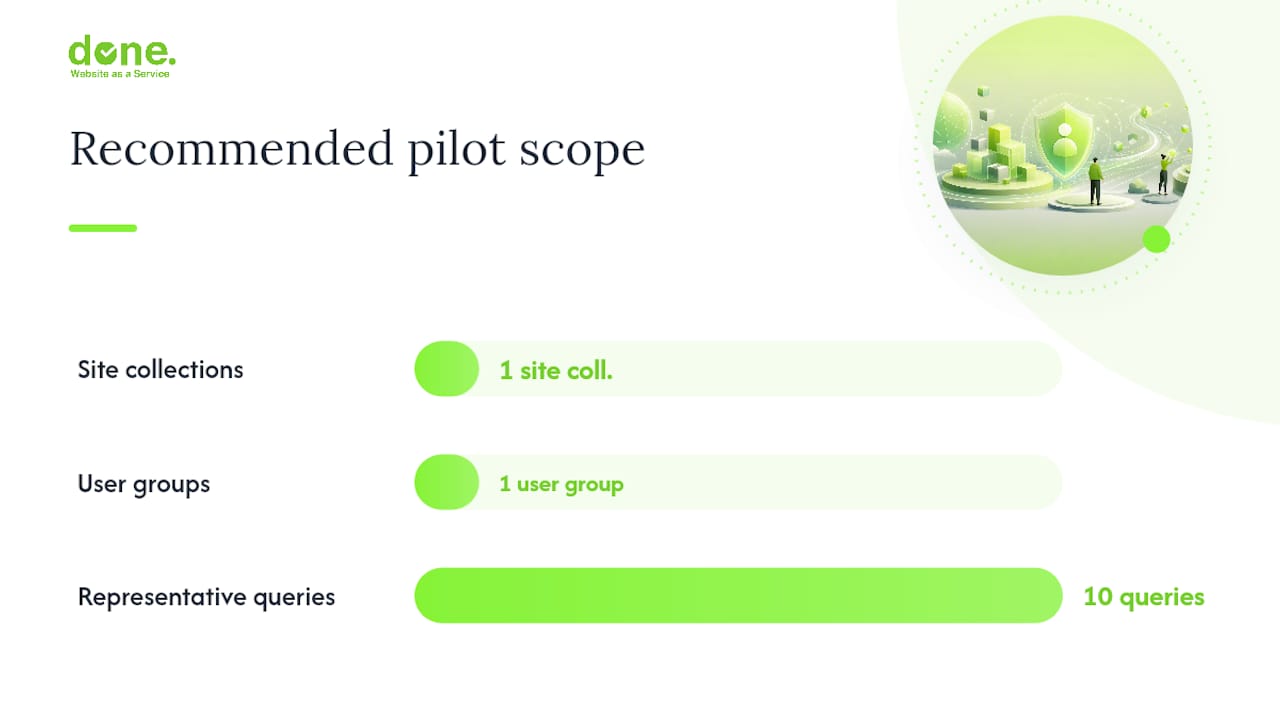
A pilot scoped to one site collection, one user group, and ten representative queries will tell you more about your architecture’s readiness than six weeks of planning documents. Start small, measure precisely, and expand only when the permission model is proven.
Pro Tip: In our experience, the most common pilot failure is discovering mid-project that the target site collection uses broken permission inheritance (unique permissions on individual items rather than library-level inheritance). Audit permission inheritance before the pilot begins, not during it.
Done’s service checklist for a managed engagement covers: compliance checks and DPA activation, app registration and scope provisioning, index schema design and ACL materialisation, monitoring configuration, and knowledge transfer to the client’s IT team. For Luxembourg SMEs, we also handle the works council documentation where required.
For teams that want to understand the broader context of private AI deployment before committing to a cloud-hosted architecture, Done has published a practical guide covering data residency and on-premise options.
What we have learned from real SharePoint RAG projects
The permission assumption is the most expensive mistake we see. Teams assume that because a user cannot see a document in SharePoint’s UI, they cannot see it in the RAG assistant either. That assumption is only true if you have materialised ACLs correctly and are filtering before retrieval. We have seen prototypes that passed all functional tests but leaked documents to users who had been removed from a SharePoint group two days earlier, because the permission resync had not run.
The fix we apply consistently: use GUIDs for identity matching (never display names or UPNs), run weekly permission resyncs for sensitive site collections, and run the synthetic user regression test before every deployment.
Scope creep is the second blocker. A pilot that starts with one site collection expands to twelve before the first sprint is complete, because stakeholders see the potential and want everything indexed immediately. The result is a permission model that has not been validated at scale, a chunking strategy that was designed for Word documents but is now processing SharePoint pages and Excel files, and a compliance review that covers only the original scope.
Our recommendation for project owners: define the pilot scope in writing before the first line of code. One site collection, one user group, ten representative queries, and three success metrics. Expand only after the pilot passes the synthetic user tests.
Done can run your SharePoint RAG pilot end-to-end
Getting a permission-aware RAG system onto SharePoint is achievable in 6–8 weeks when the scope is right and the compliance groundwork is done first. Done offers a structured pilot that covers exactly that: a RAG readiness audit (permission mapping, GDPR checklist, DPA verification), a working prototype against your chosen site collection, and a validation report with the synthetic user test results.
The pilot deliverables are concrete: a configured ingestion pipeline or remoteSharePoint knowledge source, an Azure AI Search index with ACL metadata, a monitoring dashboard in Application Insights, and a handover document your IT team can operate independently. We do not leave you with a prototype that only we understand.
Done’s AI consulting service covers the full delivery from discovery through to production rollout. If you are at the earlier stage of deciding whether a RAG deployment is the right move for your organisation, the AI strategy consulting guide is a useful starting point.
To discuss your project, contact Done at Done and ask for the SharePoint RAG pilot scoping call.
Key takeaways
Permission-aware RAG on SharePoint requires ACL materialisation or OBO token forwarding before retrieval executes; post-retrieval filtering is not a substitute and creates a genuine security risk.
| Point | Details |
|---|---|
| Start with ingest for most cases | The ingest pattern (SharePoint connector + Azure AI Search) gives lower latency and full chunking control for stable corpora. |
| Use remoteSharePoint for live ACLs | RemoteSharePoint preserves live item-level ACLs without a separate index, but trades off latency and requires OBO plumbing. |
| Permissions are first-class | Materialise ACLs as Entra GUIDs in filterable index fields; enforce security trimming before chunks reach the prompt. |
| GDPR applies before indexing begins | Activate the Microsoft DPA, update privacy notices under Articles 13/14, and assess works council obligations in Luxembourg and Germany. |
| Done runs the pilot | Done’s 6–8 week pilot covers discovery, prototype, validation, and handover for Luxembourg SMEs. |
Sources
The following references are worth keeping open during implementation. Each covers a distinct part of the stack.
Microsoft and community references for SharePoint RAG implementation:
- Azure AI Search RAG overview: the authoritative starting point for understanding how SharePoint fits into a custom RAG architecture using Graph and Azure AI Search.
- ISE Developer Blog: SharePoint permission propagation: the most detailed public guidance on materialising SharePoint ACLs into downstream indexes using Entra GUIDs.
- GPT-RAG: remoteSharePoint how-to: step-by-step configuration for the remoteSharePoint knowledge source, OBO plumbing, and App Configuration keys.
- GPT-RAG: SharePoint ingestion source: production connector documentation covering delta detection, concurrency controls, and indexer run metrics.
- Zero-Trust RAG on SharePoint and Azure: architectural framing for identity-scoped retrieval and index-time ACL materialisation as a design discipline.
- Microsoft 365 Copilot privacy: confirms that Copilot surfaces only data the user can access and does not use retrieved data to train foundation LLMs; essential for DPIA documentation.
- Enterprise search GDPR for Central Europe: practical compliance guidance covering DPA activation, transparency notices, and works council obligations for Germany and Luxembourg.
- Retrieval-augmented generation overview – Azure AI Search documentation
- SharePoint ingestion source – GPT-RAG connector documentation